
Residex is an Electronic Health Record & eMAR system. Residex clients may optionally give limited access to pharmacy partners to help improve and enhance collaboration and communication. This is a brief guide for how you, as a pharmacy partner, can use Residex.
Getting Started
❗️For your initial login, you will either receive an email with a link to create your account, OR your supervisor will be give you a username with a one-time-use password. You can then login to create & setup your account.
Permissions
The Residex client will assign permissions to your account. Typically, a pharmacy partner will not have the ability to enter new information or change existing information, but will instead have a read-only view.
Navigation
Once you log in, you will see...
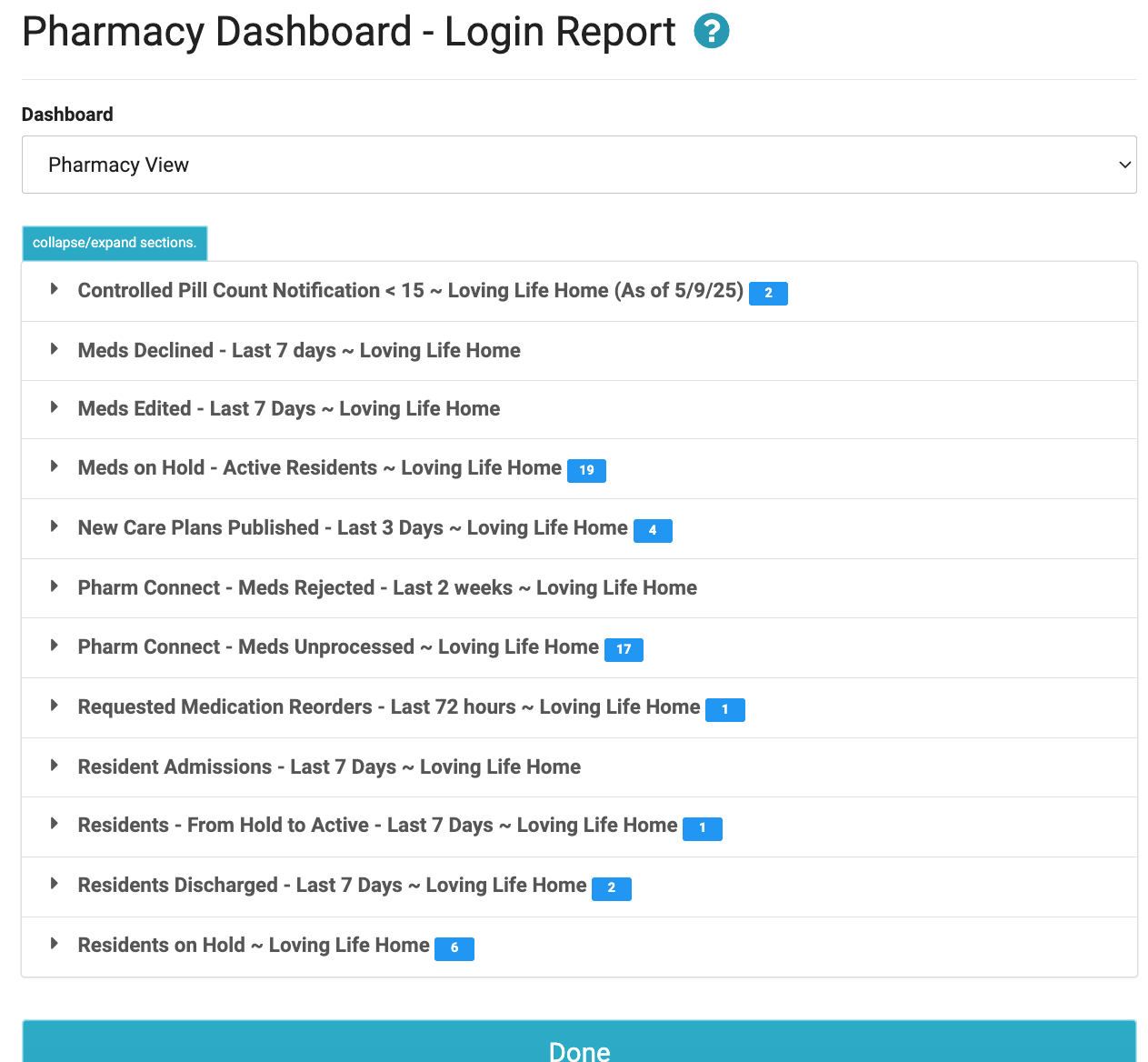
1. Pharmacy Dashboard
This contains reports helpful to our Pharmacy customers. It provides need-to-know information such as admissions, residents on hold, Resident discharges, Medication Edits, and Refills Requested. Certain other reports can be added by the facility Administrator.
2. Navigation Bar
The black bar at the top of the screen will allow you to navigate through Residex. From here you can view:

- Residents: takes you to view resident profiles.
- Today, which is the echarting & eMAR tool for the organization. There is nothing on this screen of interest to pharmacy partners.
- Fax / Print is home to generating reports, exporting data, and electronically sending & receiving faxes.
- User's Name: your name will display in the top right. From here, you can sign out, manage your personal settings, and switch to other campuses.
Resident Profiles
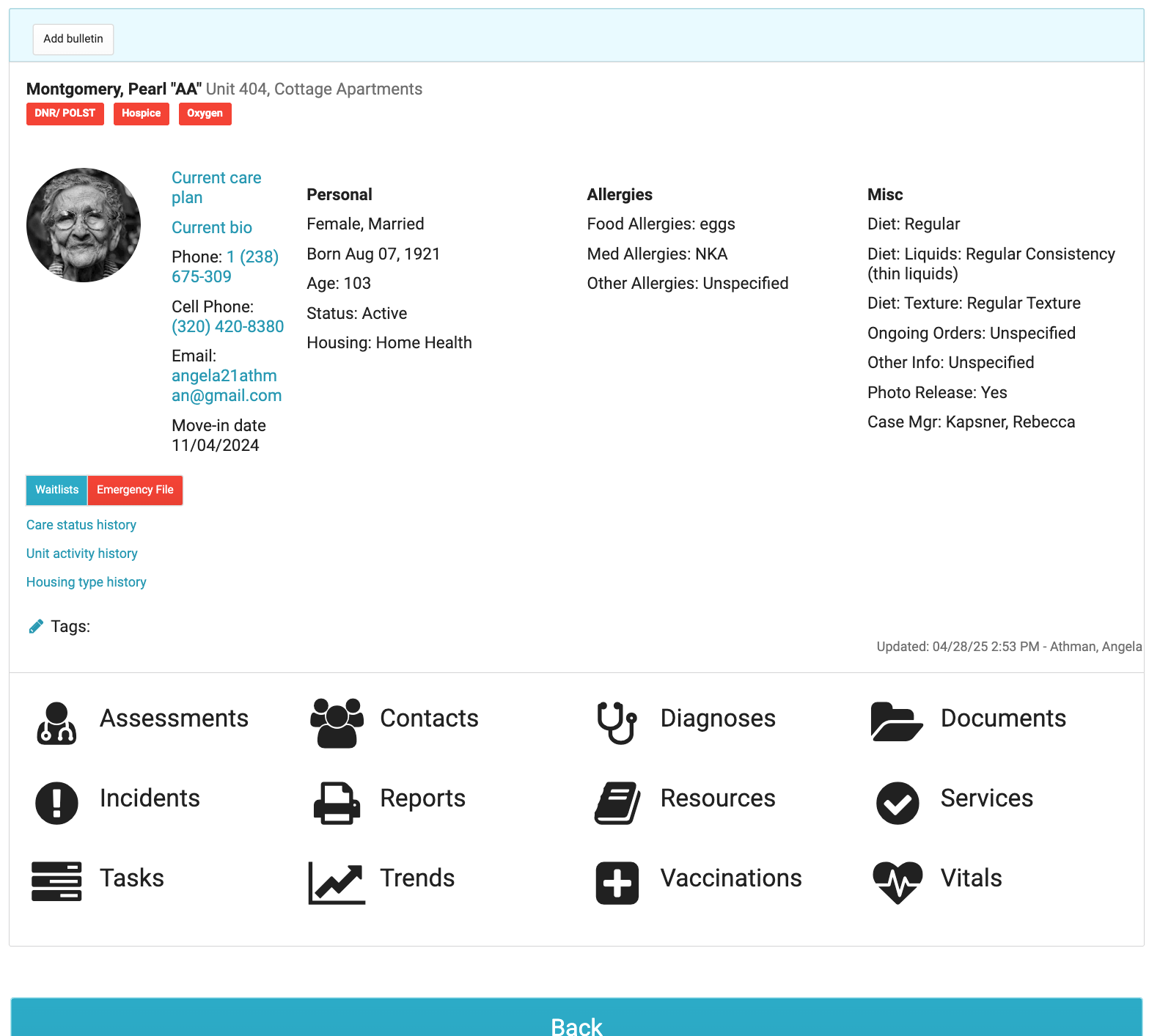
The "Residents" button on the Navigation Bar will allow you to see the Resident Profiles to which you have been given access. Click on a Resident to view specific details.

The Profile opens up in a read-only view for pharmacy partners. Depending on your permissions, you may be able to view some of the following items:
-
Contacts- will list the resident's personal contacts including both legal and personal relationships
-
Diagnoses - show the current client diagnoses with one set as primary
-
Documents- shows documents that have been scanned and attached to the client record (this can include signed advance directives, lab results, annual orders, etc....)
-
Incidents- will appear only if you have been granted a role allowing you to view incidents.
-
Provider Orders- allow the nurse to create comprehensive orders for the MD to sign at specified intervals.
-
Medications- will show all the resident medications, scheduled as well as PRN medications.
-
Notes- allow you to view and/or enter resident notes if you have been granted Role 5 by the facility. Some facilities opt to create a specific note type to allow consultants to chart; check with your facility contact.
-
Care Coordination - will show all appointments/provider contacts for the resident, both historical and upcoming
-
Reports - show reports specific to the resident.
-
Resources - list the resident's Providers (MD's, PA's, etc...), Organizations (pharmacies, hospitals, hospices, etc...) and Health Plans (Insurance).
-
Services- lists all services and service details provided by the facility to the resident.
-
Vital - allows users to view vital signs and enter new vital signs.
Reports
From the Fax/Print menu, you can select "Reports" to run summaries of the information you may need.
Some reports that will specifically be useful for pharmacy partners include:
- Resident Profile - an inclusive summary of the resident and care
- Medications Current - current list of meds for a selected resident
- Medications History - shows both current meds and discontinued meds for a selected resident
- Pharmacy Imported History - Resident shows the history of Pharmacy imports for a given resident
- Pharmacy Import History - all - shows a campus-wide history of imports
- Pharmacy Connect history - One Pharmacy shows just the imports from a selected pharmacy across all residents
- Pharmacy Connect - Rejected Meds - shows those medications nurses have 'rejected' rather than imported. Includes the reason given for rejection.
- Med - Pharmacy Import Unprocessed - those imports awaiting processing