
Personal Funds Management can be used by organizations to track individual expenses for their residents.
In order to view and use personal funds management, a user will need Personal Funds (Role 27).
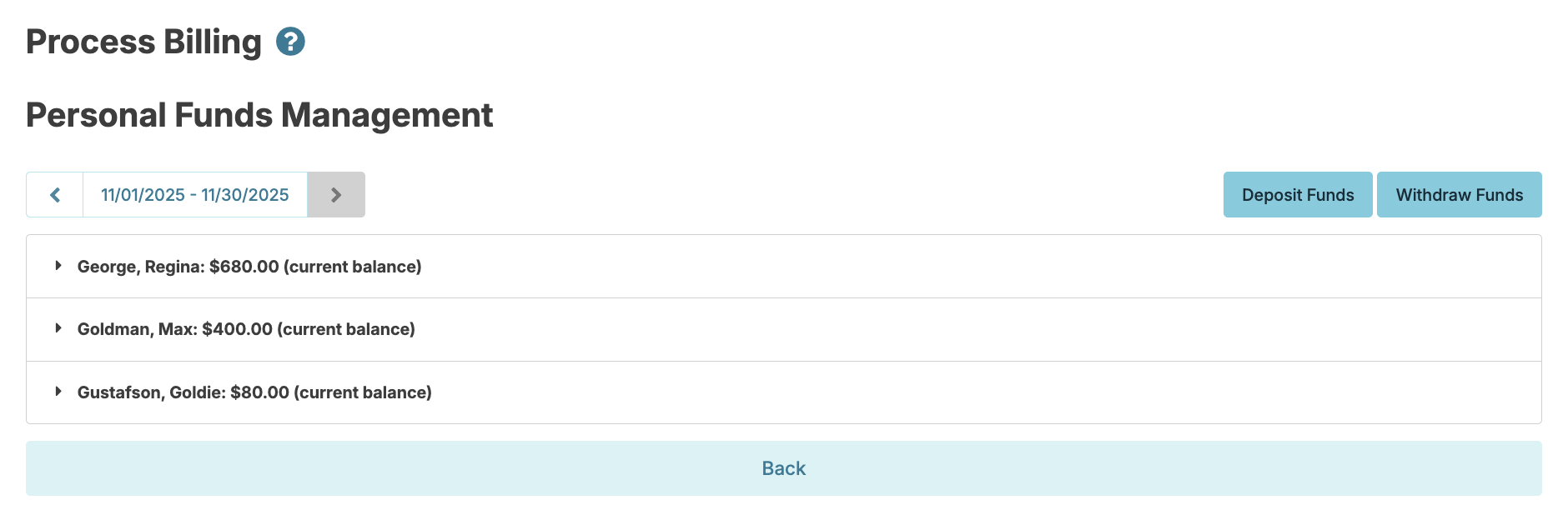
You can navigate to Billing > Personal Funds Management to view a list of each person you manage funds for and their balance as of the specified month selected.
Enter Deposits/Withdraws
To enter a deposit or to withdraw personal funds, navigate to Billing > Personal Funds Management > Click Deposit Funds or Withdraw Fundsand enter the following:
- Resident
- Date
- Amount
- Description
- Press Save
Users with Billing Manager (Role 28) have the option to add preset description options that can be used for new entries. This list can be managed by selecting the Snippets drop down after selecting Deposit Funds or Withdraw Funds.
Personal Funds Management Reports
Reports for personal funds management can be found by navigating to Fax/Print > Reports and selecting the report category Personal Funds.