
Residex allows you to manage availability for your employees. You can add available or unavailable time for your staff, or your employees can add and manage this, please refer here for more information. (insert appropriate link)
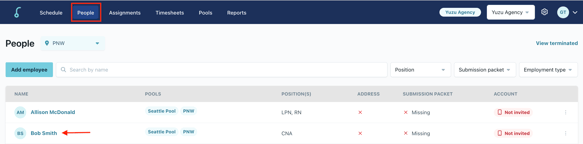
- Click on the "People" tab, then click on an employee's name to go to their profile.
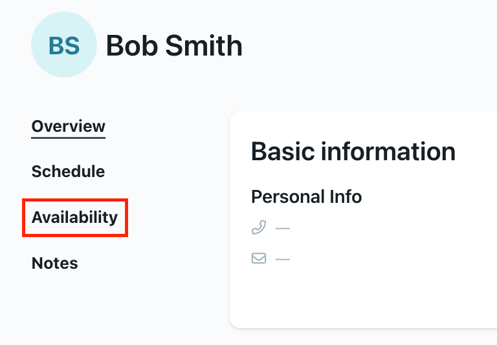
- Click on the “Availability” tab on the left hand side.
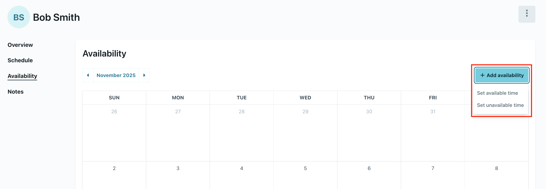
- Click "+ Add availability". Select to add available or unavailable time. Based on the date of the month, you may not be able to add unavailable time. Refer to your organization's policies for more information.
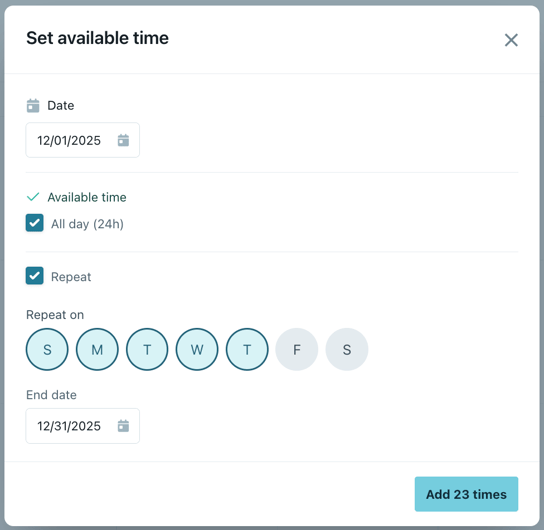
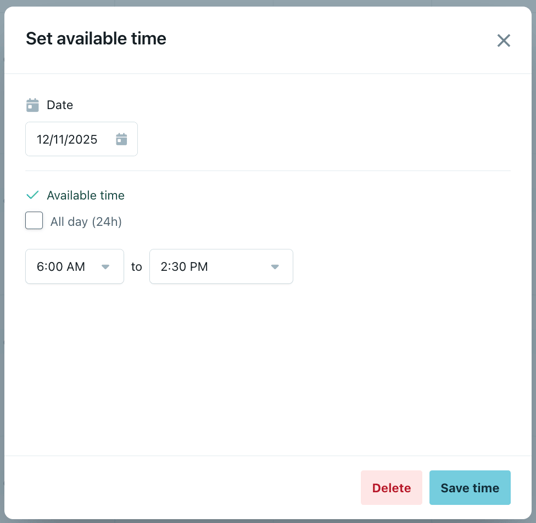
- From here a new window will appear. You will be able to select the date, time frame, and the option to repeat on certain days of the week. Click "Add # times" to add in the available or unavailable times for the employee.
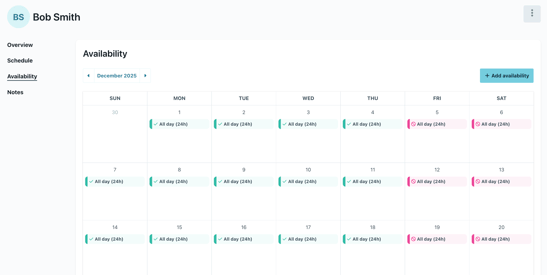
- You can edit availability by day, and delete entries if necessary.
- That's it! You've successfully added available and/or unavailable time for your employee.
Please note:
- Your organization may set up guidelines for availability.
- The system will let you know if your employees are in or out of compliance for these policies.
- Managers have the ability to remove employee unavailability on short notice, employees do not.