
Medication Review
Under Clinical you will see the following medication review items:
- Review Administered PRN Medications
- Review Declined Medications
- Review Medications Sent Out of Facility
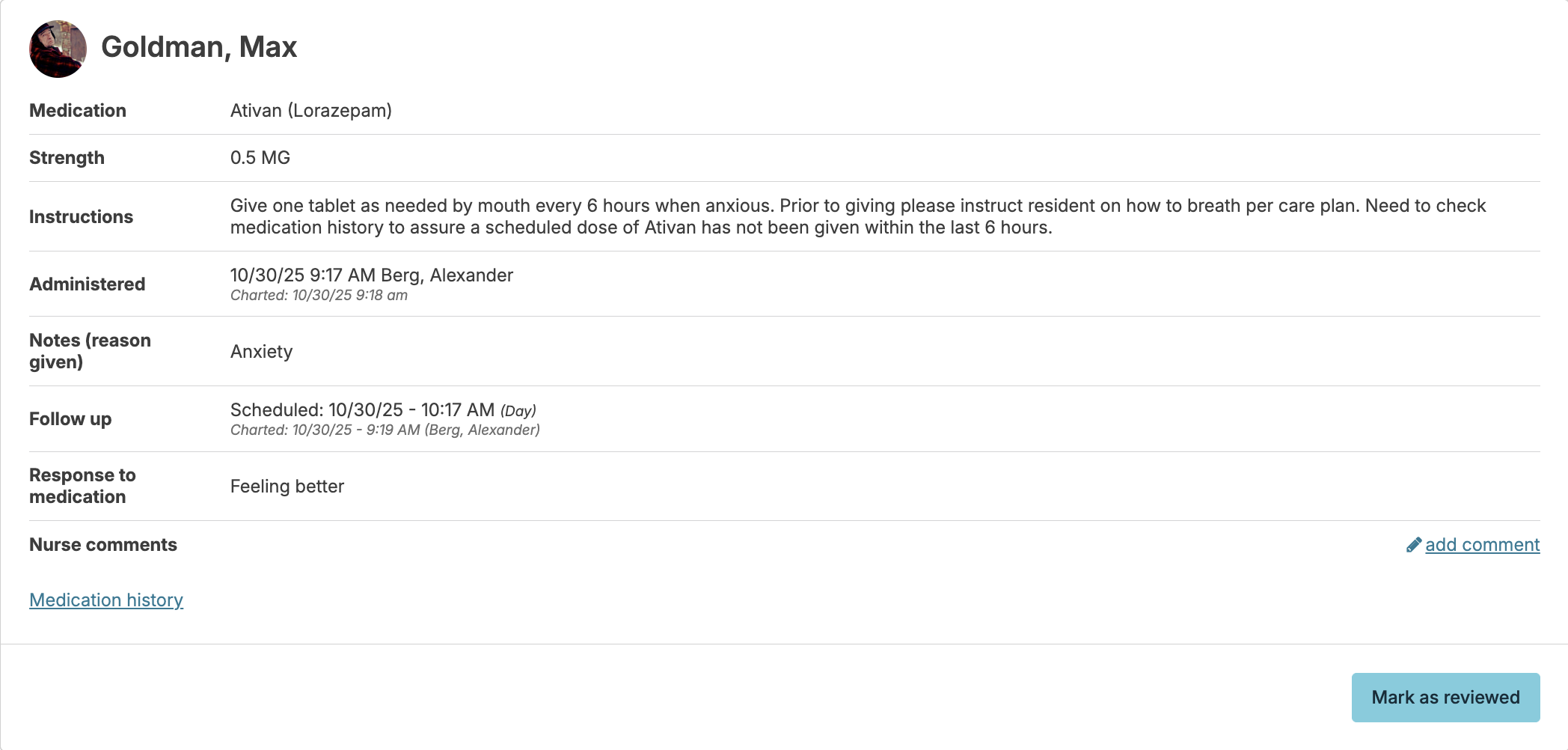
Review Administered PRN medications
Review PRN medications for administration details, efficacy, and usage frequency. Add comments and mark medications as reviewed. When administration times differ from charting times (such as late entries), both the actual administration and charting date/time are displayed.
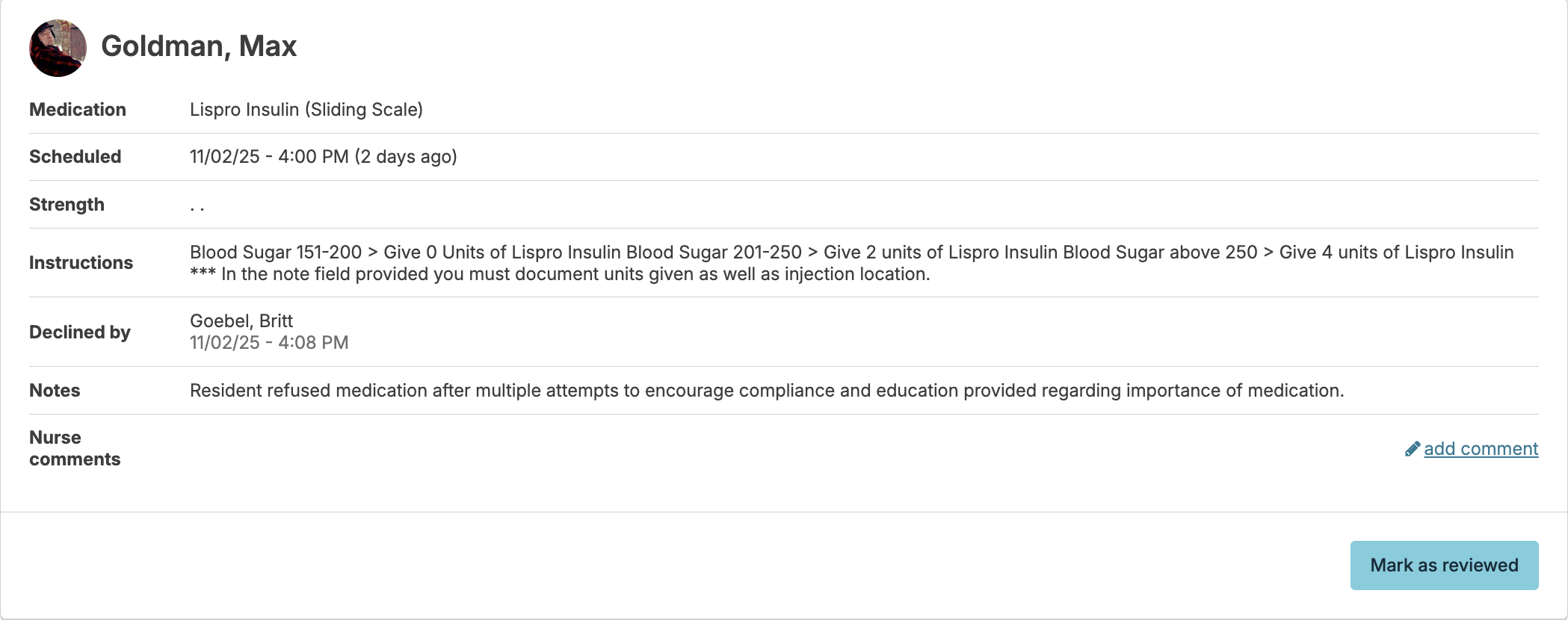
Review Declined Medications
This tool works almost identically to the Review Administered PRN Medications tool. It allows you, the nurse, to view the medications that have been declined or otherwise not given by medication passers, and the reasons noted. The Mark as reviewed button will document that you were aware of the medication refusal, and the optional add comment button will allow you to add notes if needed.
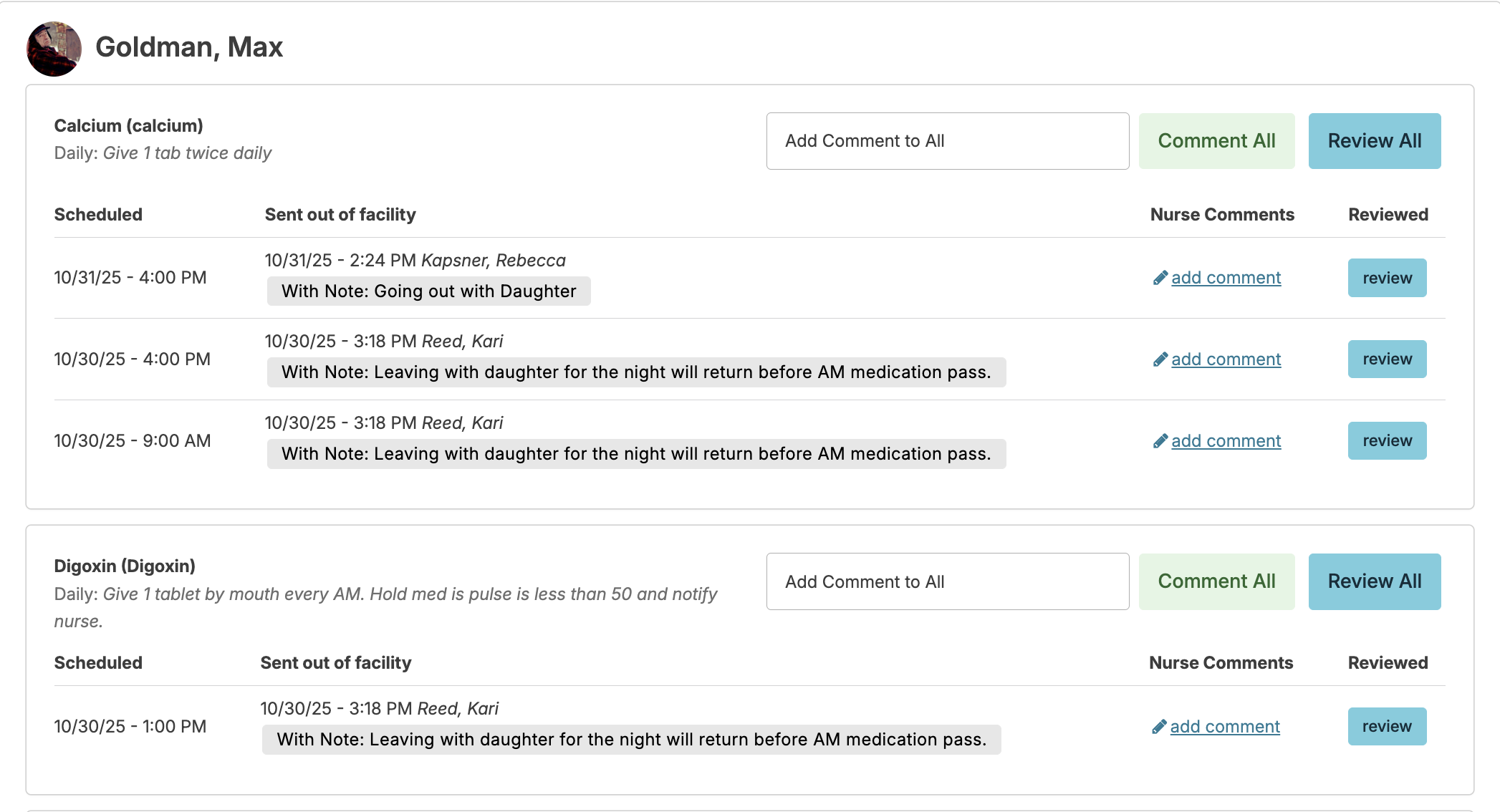
Review Medications Sent Out of Facility
Nurses/supervisors use this to review medications that have been documented as sent out of the facility by staff. Select the date range that you would like to review, and use the add comment link to add an individual comment to one dose of a specific medication or select the Comment All to make a comment on all of the doses sent out of the facility for one medication. Similar in concept, select the review button next to one dose of a specific medication to mark as reviewed or select the Review All button to mark all doses sent of out facility of a specific medication as reviewed.
Review Medication Charting History
Navigate to Clinical > Medication Charting History to view medication documentation history for selected resident and date range. Nurses can add comments to the charting history as needed.
Charting History Review
Navigate to Clinical > Service Charting History to review service history selected resident and date range. Nurses can add comments to the charting history as needed.
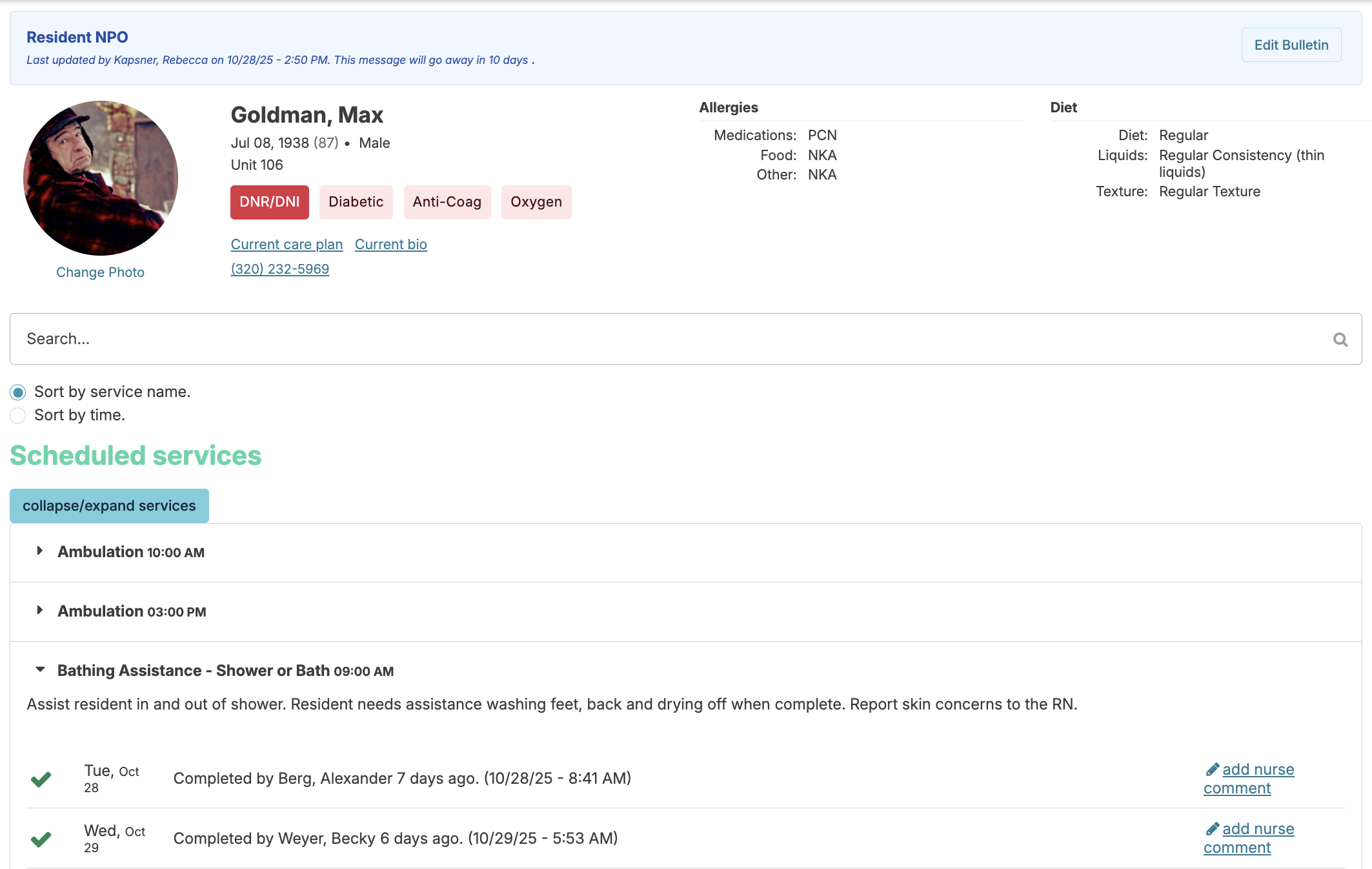
Nurse Vitals Review
Review Vital Signs Out-of-Range
Vital sign parameters can be configured globally (in the Global Service List) or individually when adding services to a resident's profile. Nurses can access vitals that fall outside these ranges via Clinical > Review Out of Range Vitals, where they can mark items as reviewed and include a note if applicable.
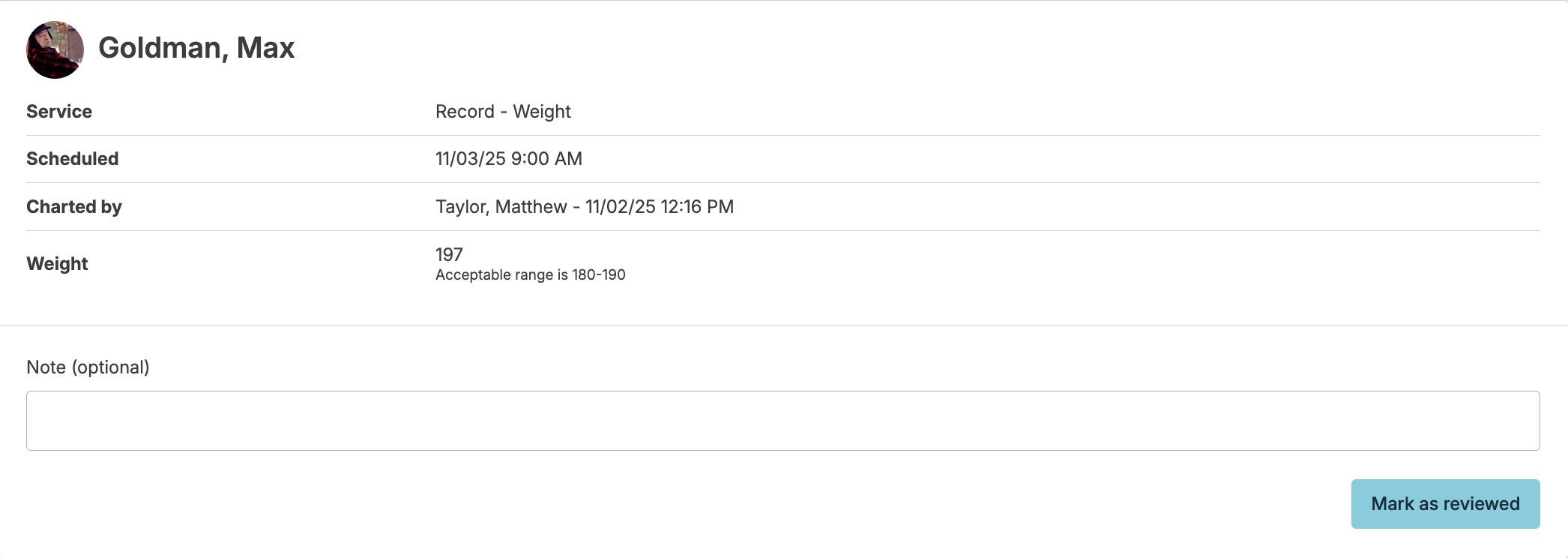
If you wish to assign additional vital signs as follow-up, you can navigate to Clinical > Unscheduled/PRN Service > and schedule a future PRN vital service to an assignment. This will appear on their Today > Assignments screen at the scheduled date and time.
Resident Trend Analysis
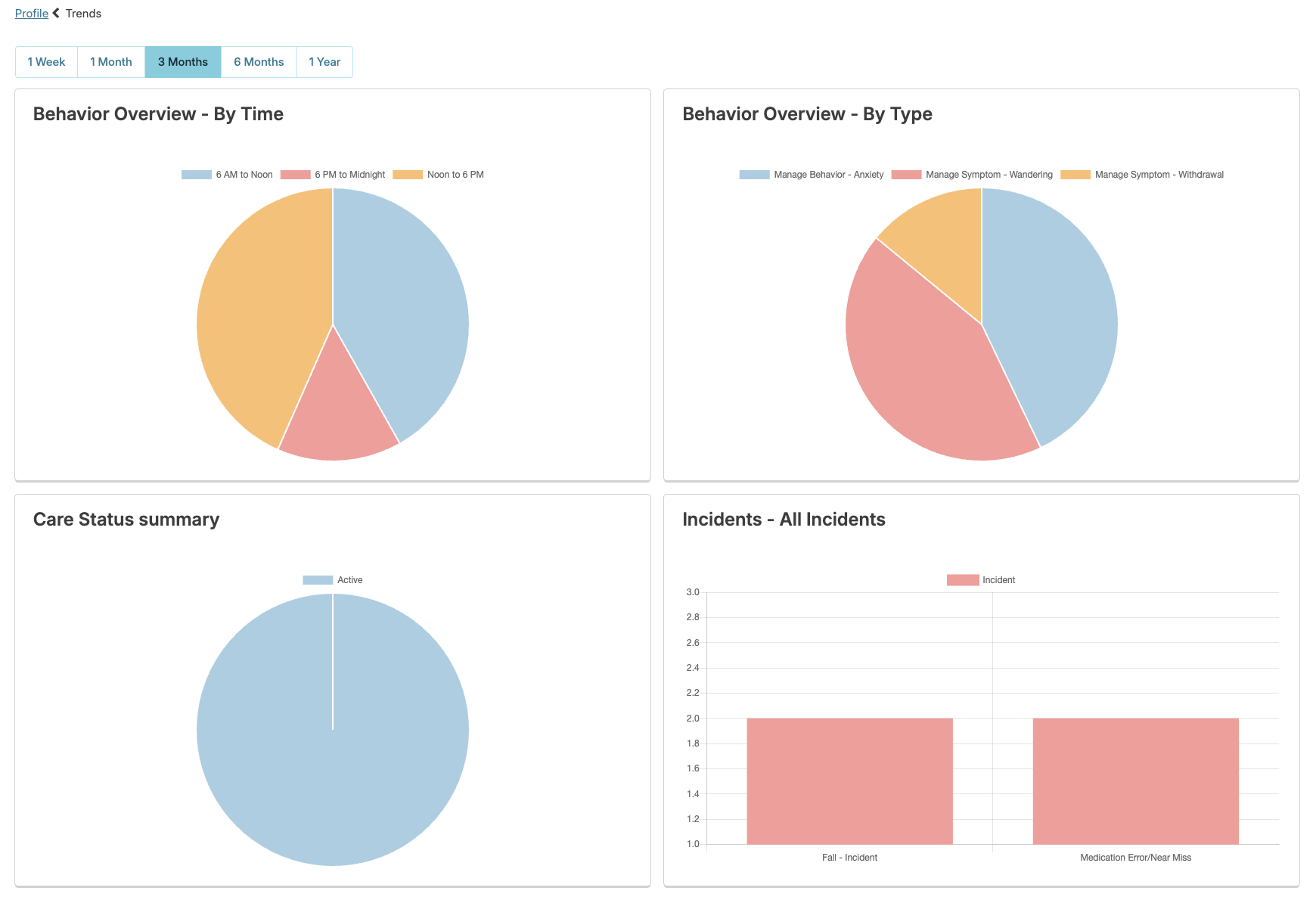
Monitoring trends in vital signs, medication usage, and service needs helps nurses identify gradual changes in resident conditions and make informed care decisions. Access Trends from the resident profile to view data across selected time periods, displayed through bar graphs, line graphs, and pie charts for clear visualization.
Incident Review Process
Review, edit, and address staff-entered incidents to gather information, guide staff through facility policies, and document follow-up actions to prevent reoccurrence. Clinical Reviews must be completed within 30 days of the incident entry date (not the actual incident date).