Setup
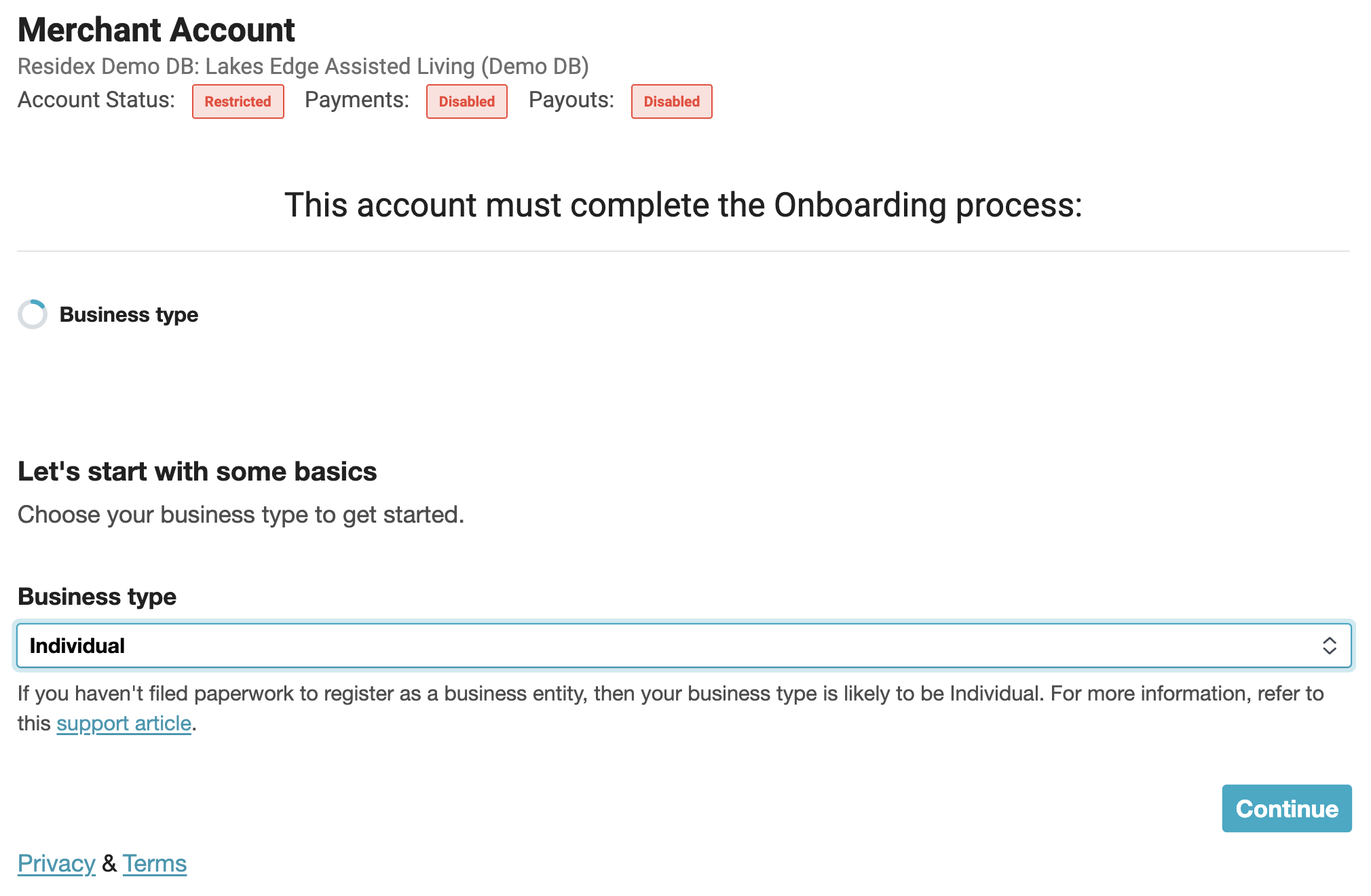
To setup your facility's merchant account, navigate to:
- Billing > Merchant Account
- Choose Business type and Business structure and click Continue
Enter the following information:
- Legal business name
- Business name (Doing Business As) if different from legal name
- Employer Identification Number (EIN)
- Business address
- Business phone number
- Industry (Choosing “Medical Services” will give you an option to select the type of medical service)
- Business website (if your business does not have a website, select “Don’t have a website? Add Product description instead.” Then enter your product description)
- Click Continue
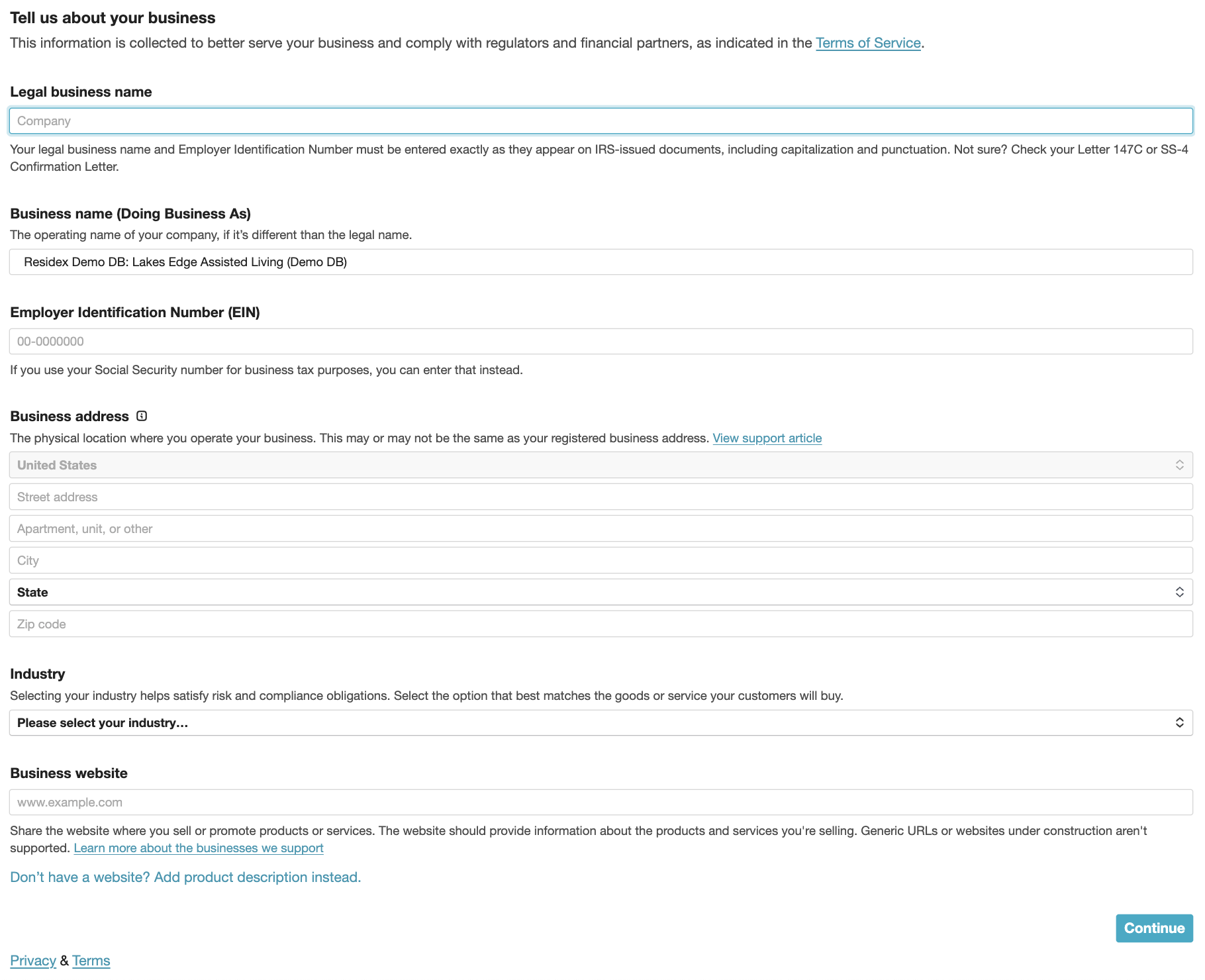
IMPORTANT: All fields must be completed during merchant account setup. Leaving any field blank may cause transaction processing issues.
Enter the following information for the person who is authorized to sign on the business’s behalf:
- Legal first and last name
- Email address
- Job title
- Date of birth
- Home address
- Phone number
- Last 4 digits of SSN or click “Provide a government-issued ID number” instead.
- Select Continue
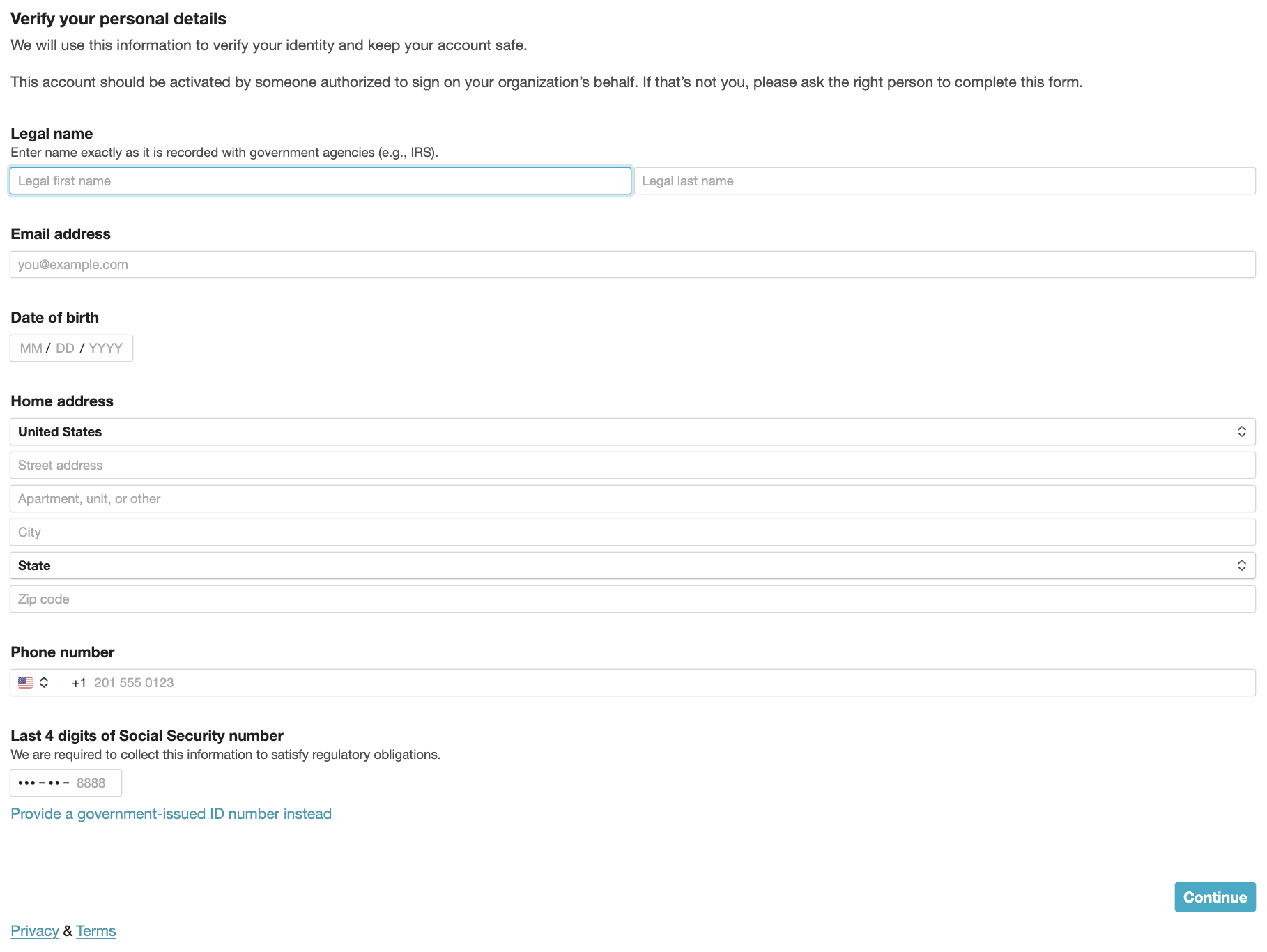
Note: Depending on what business type you have selected, additional information may need to be entered for business owners.
Choose the bank that you want payouts to be deposited into and follow the onscreen prompts to enter the bank account information.
Before submitting, review the information entered. A red flag indicates that required information is missing, and you will need to select the edit button and enter any required information before submitting. Once this is complete, click the “Agree and submit” button.
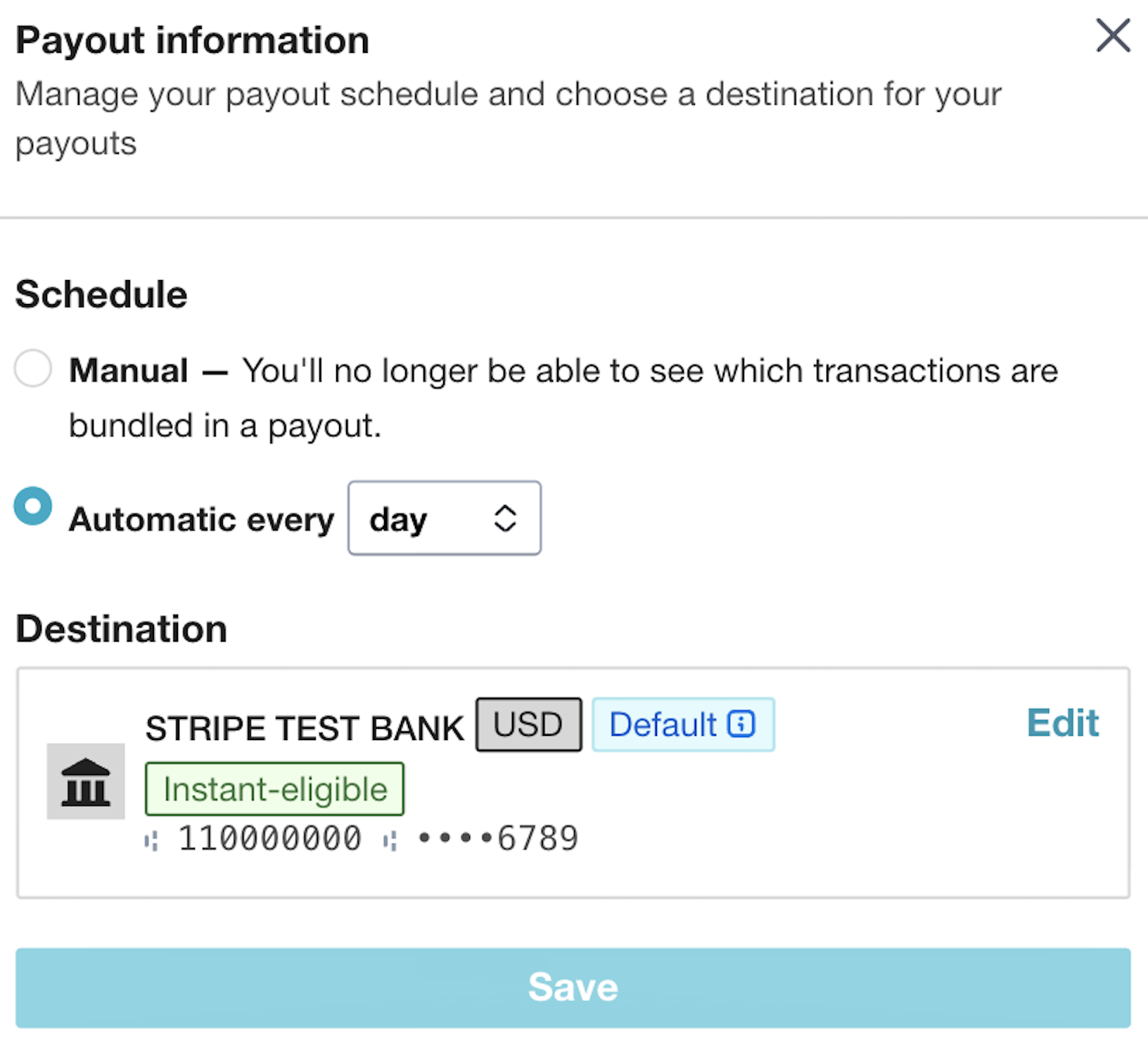
Payouts
Use the Payouts tab to set up the preferred schedule for transferring funds to the facility's bank account. These transfers will show on the facility's bank statement as a deposit from Residex.