
Quality resident care extends beyond healthcare services to include meaningful life enrichment, which begins with thoughtful planning and scheduling.
Scheduling Activities
Residex has several tools to make it quick and easy to build out your activities calendar.
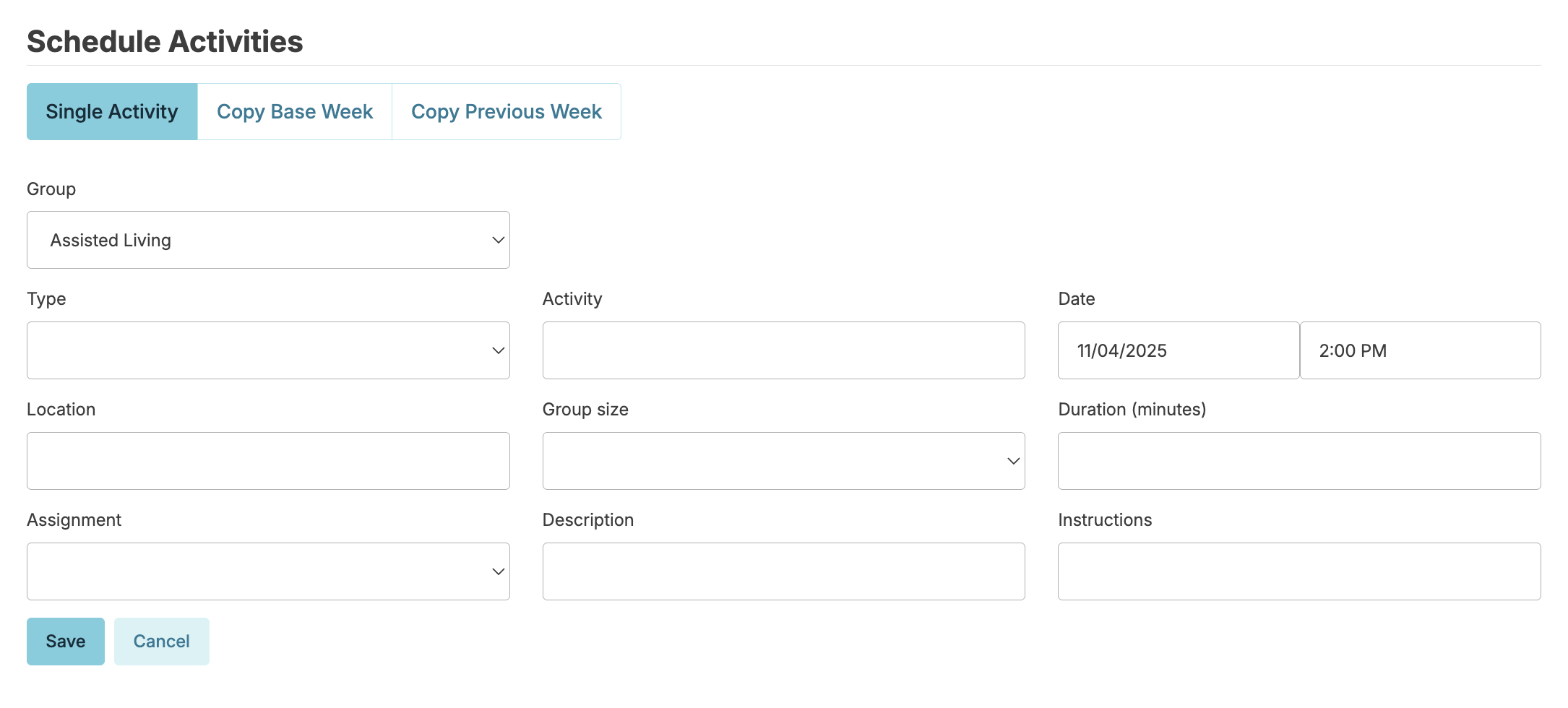
Schedule a single activity
- To schedule an activity, navigate to Admin > Activity Settings
- From under the Scheduled Activities tab, press the Schedule button
- Complete the fields to specify details of the Single Activity (Event)
Copy a Base week
You can configure up to twelve Base Weeks (template weekly activity schedules) that you can use like a stamp to put regularly scheduled events and activities onto your schedule for upcoming weeks.
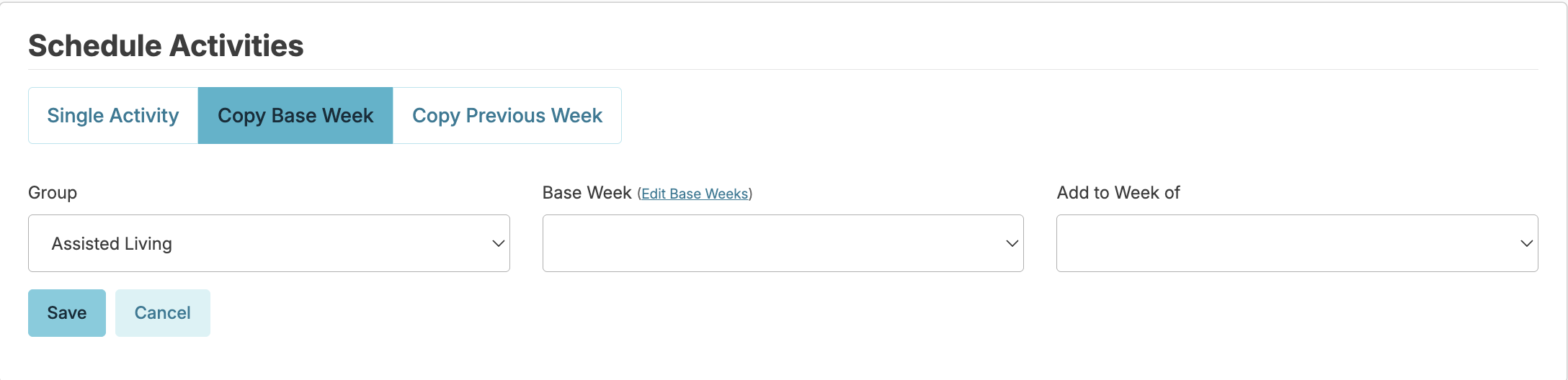
- Press the Schedule button, and then select Copy Base Week
- Select a Group (Community)
- Select a Base Week (one of up to twelve total)
- Select a target week to copy the base to from the Add to Week of menu
- Press Save button to complete.
You may also edit your base weeks from this screen by adding activities to them one at a time. If you have repeating events on reliable schedules, taking the time to set up base weeks will save you a lot of time!
Copy a previous week
- Press the Schedule button, and then select Copy Previous Week
- View any previous week's activities schedule and copy it to a future week: each event will be scheduled on the same day of the week and the same time as it was previously.
- Press Save to complete the copy.
You can then click on any activity in your schedule and remove or reschedule them if needed.
Charting Activities
Once activities are scheduled, they appear on the Today screen for the assignment list they were assigned. Staff can chart these activities, documenting attendance, add notes, etc....
Viewing the activity calendar
Navigate to Admin > Activity Settings > Scheduled Activities to view the activity schedule one week at a time. You can maintain a different schedule for each community if you wish.
Activity Reporting
Documentation of activities in Residex provides users with a number of different types of reports, including activity calendars, attendance recap reports, and summary reports that give insights for activity planning. Some common examples:
- Activity Schedule Month - One Community's activity schedule for one month in a calendar format.
- Activity Week Calendar View - One Community's activity schedule for one week.
- My Activity Calendar - Personalized monthly calendar for each resident. This includes only those activities that correlate to activity preferences the resident identified in the Leisure Activity Inventory assessment, cross-referenced with scheduled activities for the period.
- Activity Log Resident - The primary summary for activity directors to view and communicate individual resident participation in activities.
- Activities Declined - Activities offered but declined for the Campus. Shows all residents who were invited but declined to participate, and which activities they were invited to & declined.
- Activity Summary All - Determine which activities are well-attended. See also: Activity Participation and Activity Participation Unscheduled.
- Care Conference Summary - helpful information for conducting a care conference, including a summary of activity attendance.