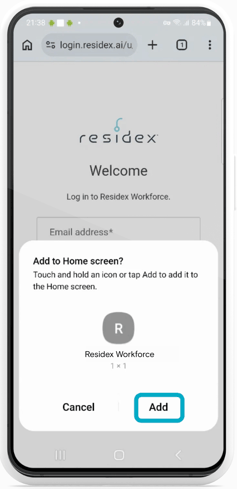
Here are instructions on how to add a shortcut for Residex Workforce to the home screen of your mobile device.
For iPhone:
- Go to app.ehr.residex.ai on your web browser (you don't have to log in for this)
- Click the share icon.
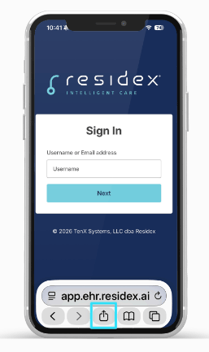
- Now click Add to Home Screen.
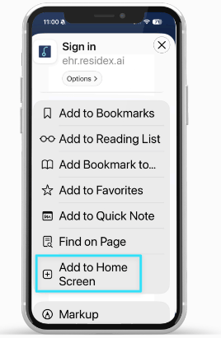
- Then name the shortcut "Residex EHR" or anything you would like. Then click Add.
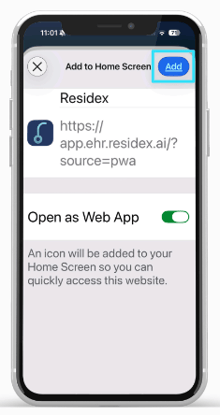
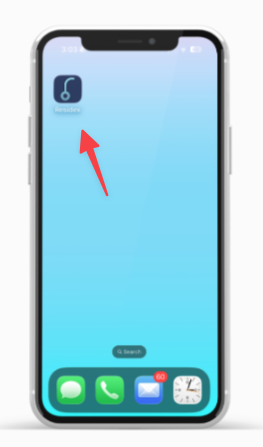
⚠️ If you want the address bar to remain visible, turn off the "Open as Web App" toggle on this step before proceeding. - Now you can access Residex EHR straight from your home screen!
For Android:
- Go to app.ehr.residex.ai on your web browser (you don't have to log in for this)
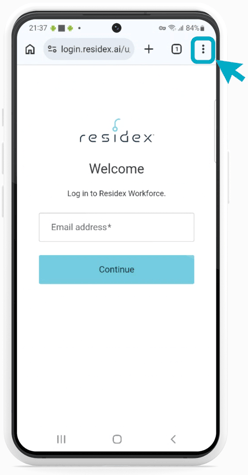
- Tap the menu icon (3 dots in upper right-hand corner)
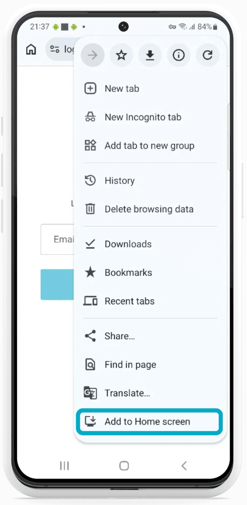
- Then click Add to home screen.
- Then name the shortcut "Residex EHR" or anything you would like. Then click Add.
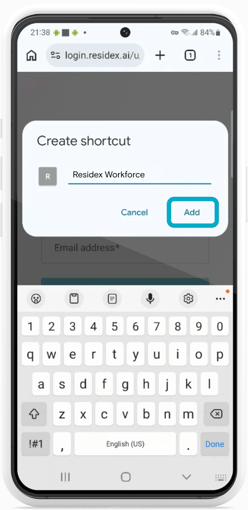
- Click "Add" again to create the shortcut and add to your home screen!