
Reassign Services/Visit
If a client is scheduled days changed for that day or the following two days, a user with Services (Role 2) can reassign the service(s).
There are a few things to keep in mind:
First, the configuration option Enable Service Rescheduling needs set to "Yes" but a Residex team member
Secondly, only items marked to "May be reassigned" will appear as options when using the reassign feature. Refer to this document on how to manage which services may be reassigned from the Global Service List
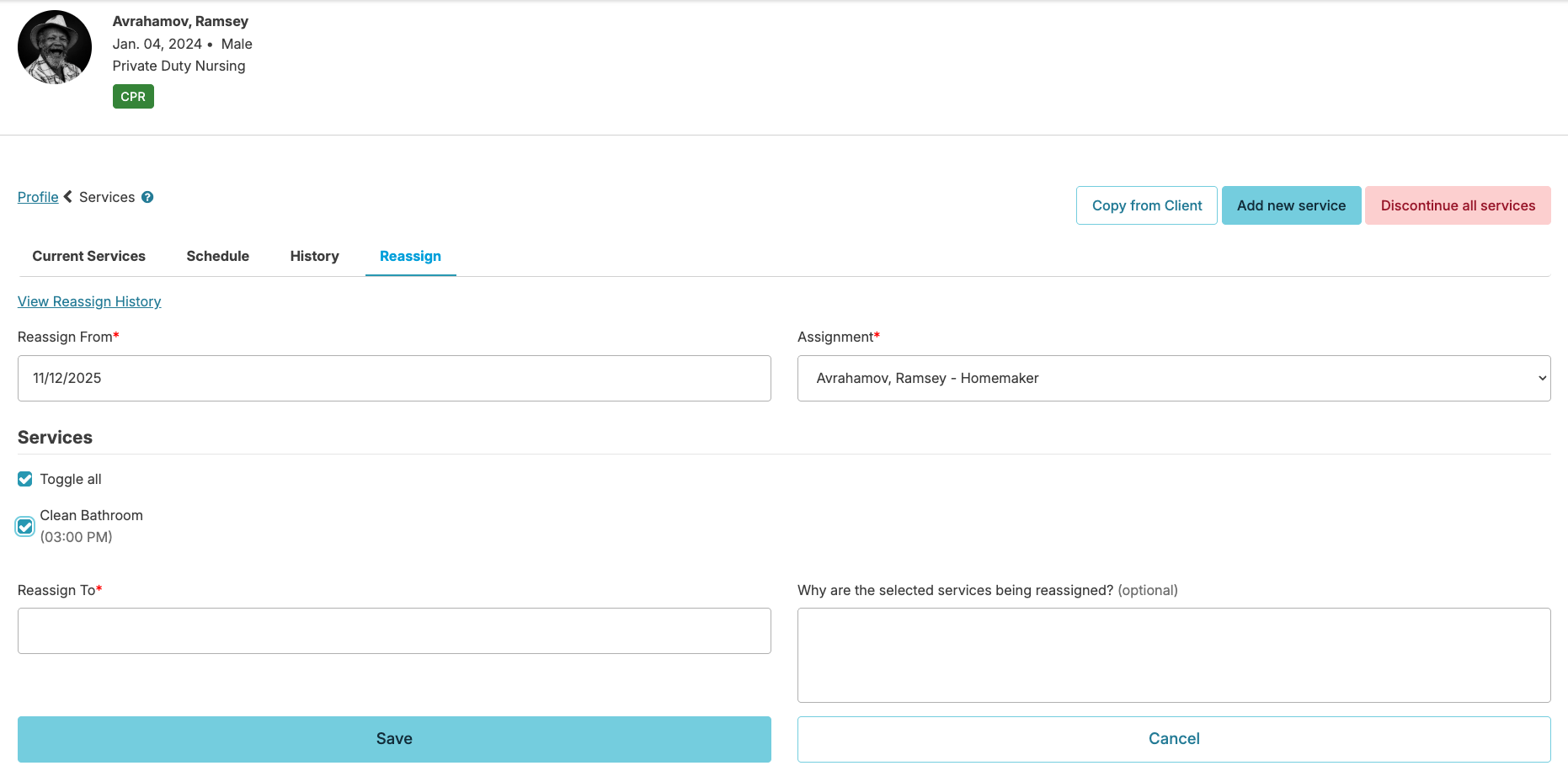
This will only reassign the schedule for the days specified. Navigate to the Profiles > Clients > Select a Client> Services > Reassign screen.
- Select the date and assignment you are reassigning from
- Select what services are being reassigned
- Select the date to which they should be reassigned to
- Optionally enter a note as to why the service is being reassigned
- Select Save
Reschedule Services
If the service schedule is changing ongoing, you would want to reschedule the clients service(s). You can find detailed instructions in our Edit/Reschedule Services document.