
Overview
This guide outlines the required steps to enable Electronic Visit Verification (EVV) data submission with Residex as your EVV system provider in Minnesota.
Prerequisites
Before going live with EVV data submission, you must complete all steps in this guide, including re-submission of forms if previously completed with other providers.
Required Forms
Step 1: Complete Required Documentation
You must submit the following two forms:
Minnesota Provider Enrollment Form
Fill out the MN Provider Enrollment Form
- The Agency contact will require both an administrator name and secondary contact
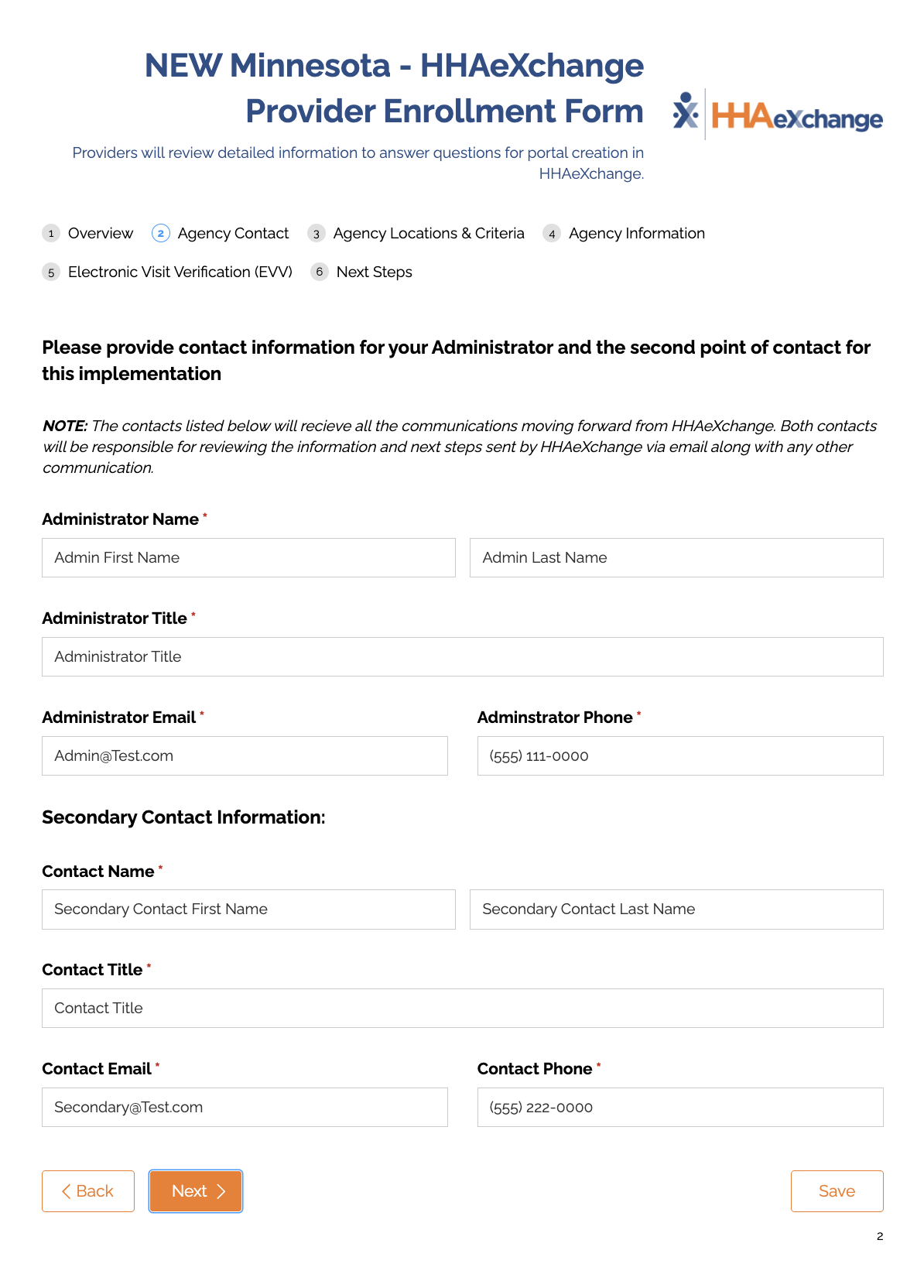
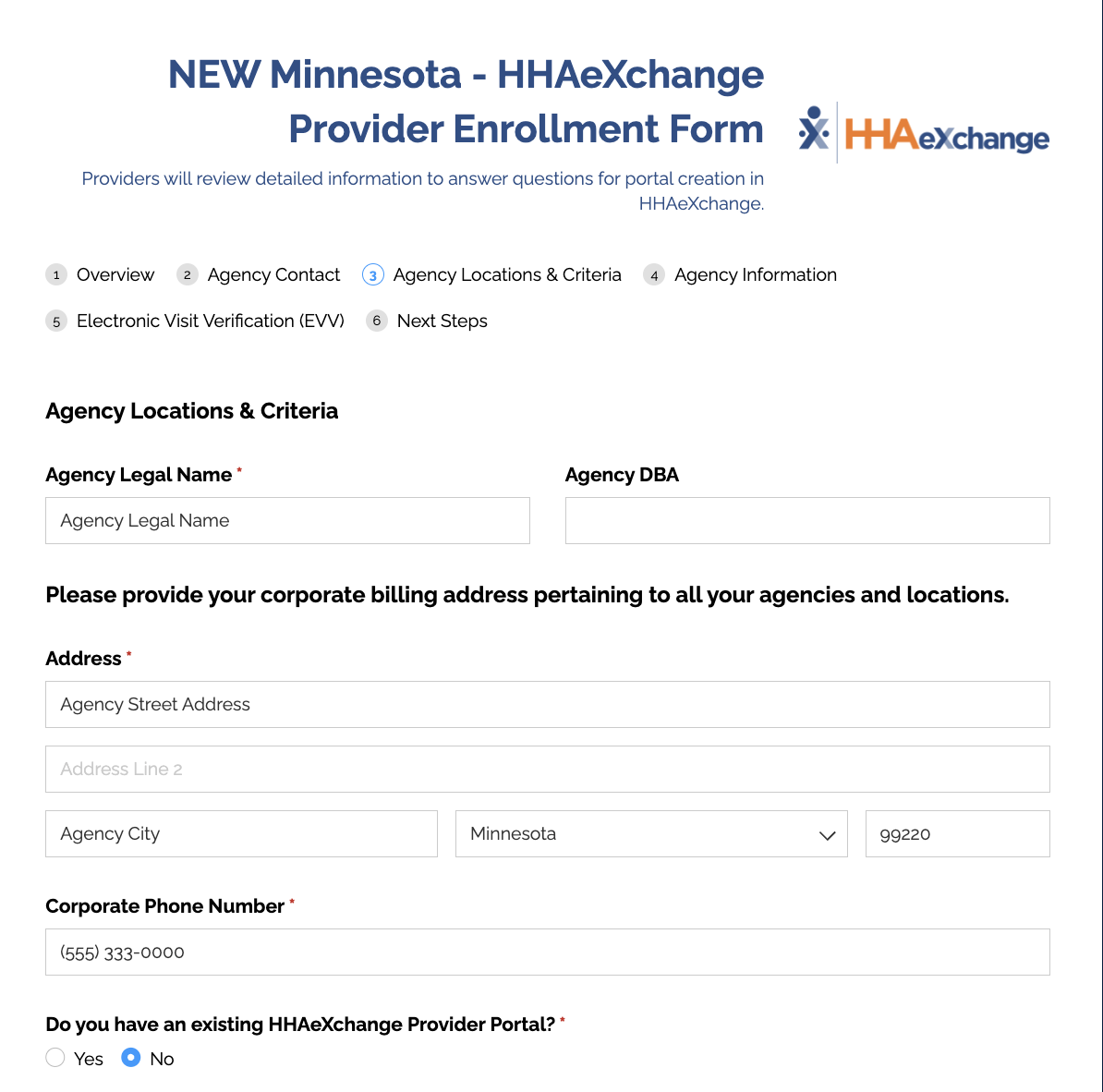
- Fill out the agency location and criteria with the information that is accurate for your company
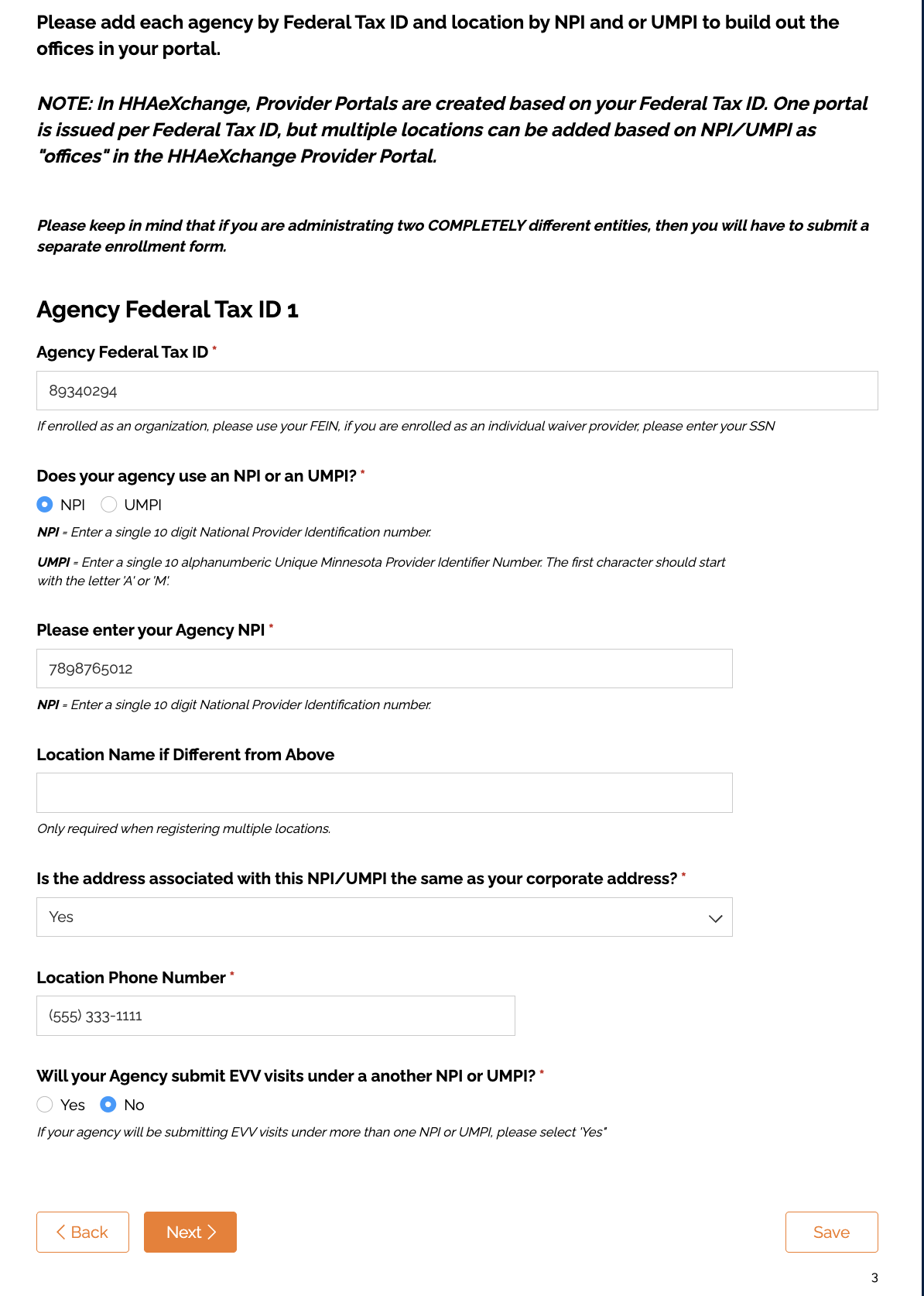
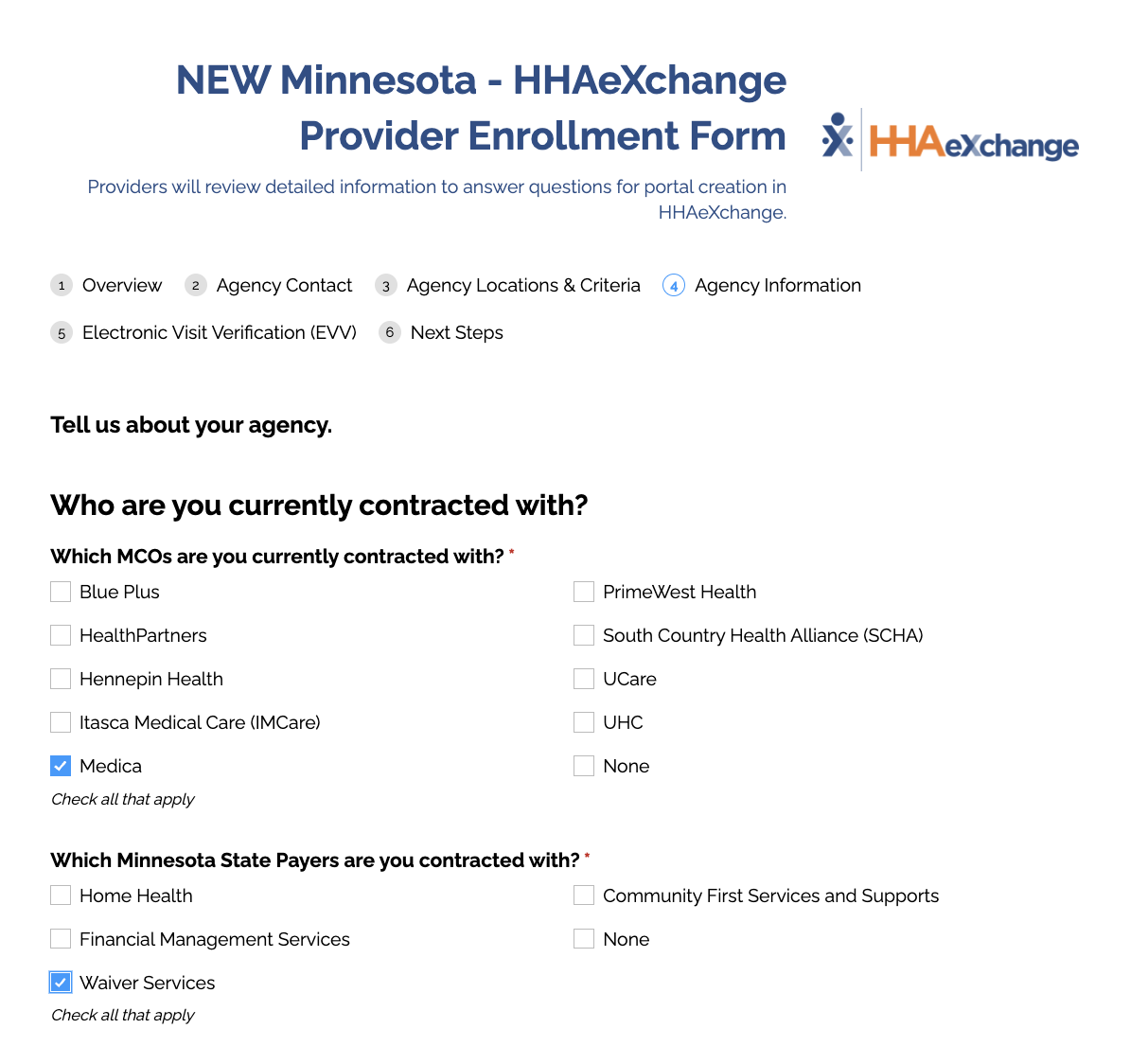
- Complete the agency information as it pertains to your company
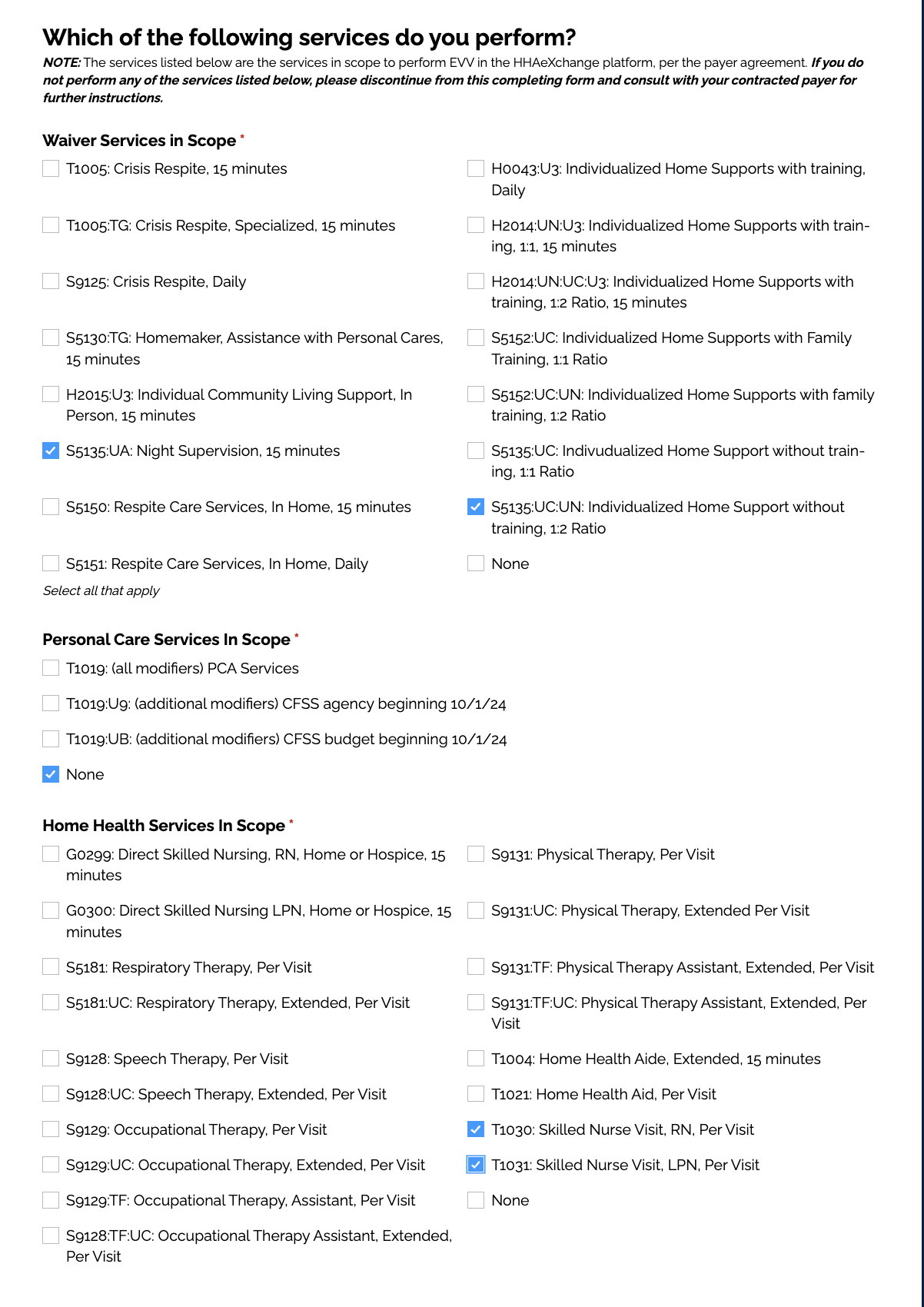
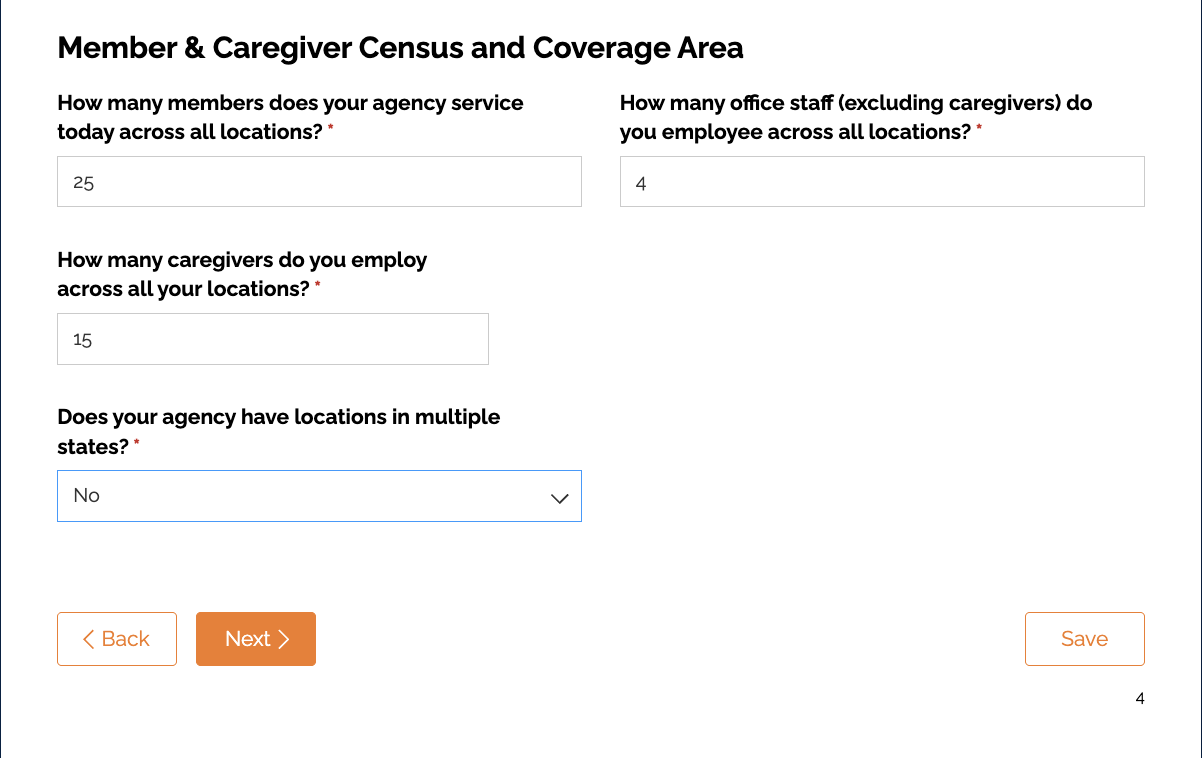
- Complete the EVV section of the form
❗️Make sure you click "Yes - I currently have my own EVV System."
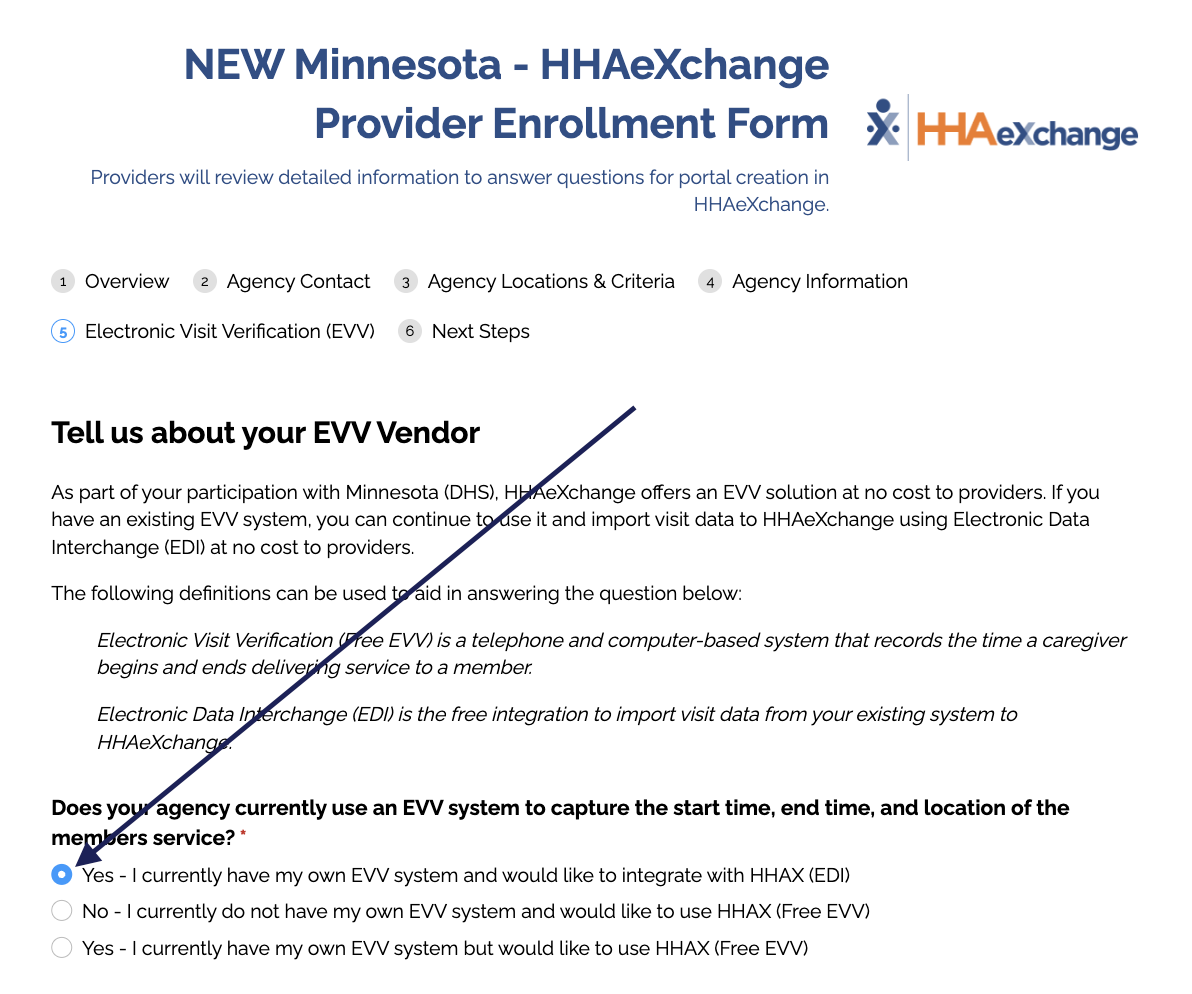
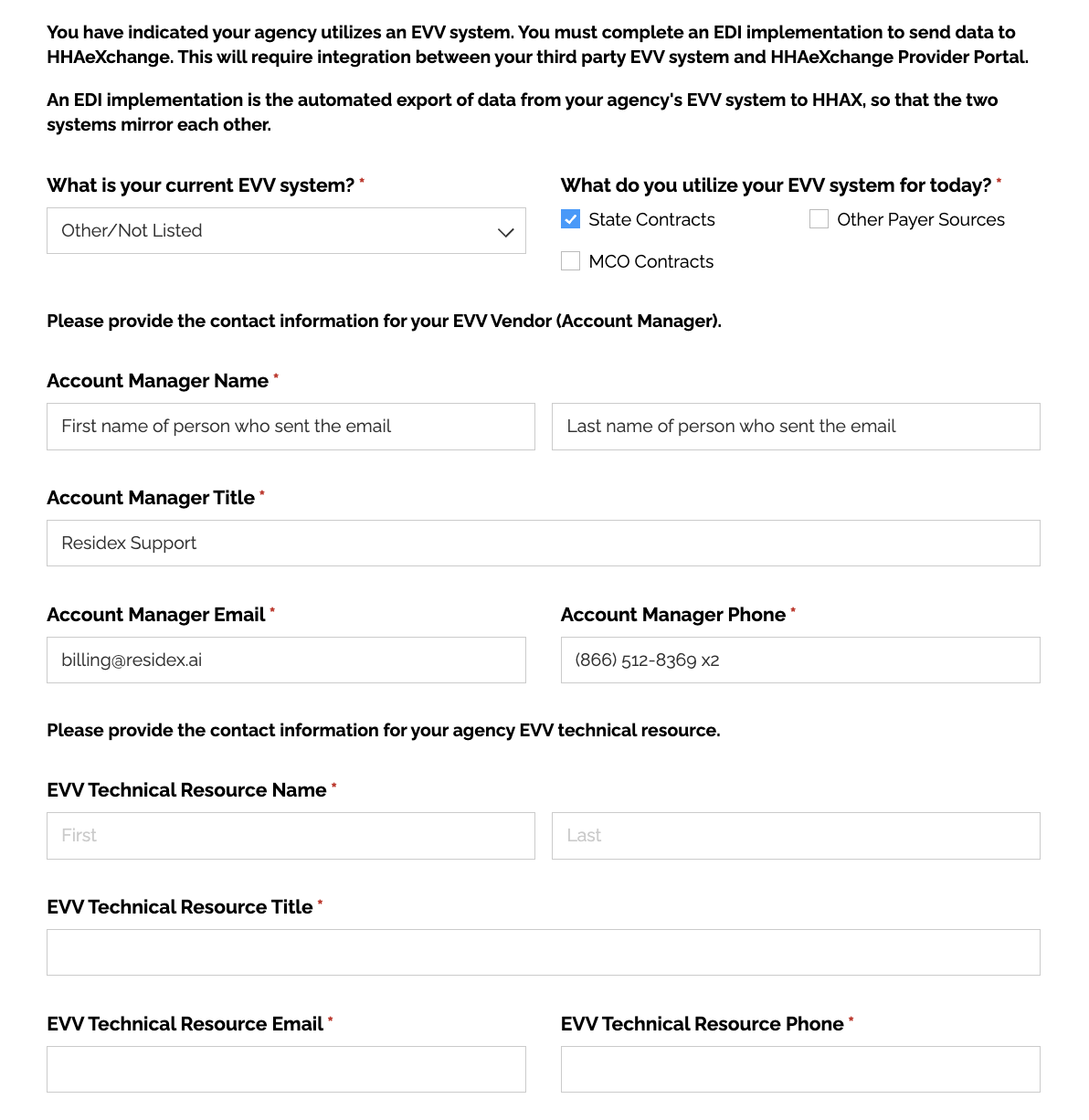
- Additional fields will appear - use the screenshot and following information to fill out the form
- If Residex is not listed as a vendor - select Other/Not Listed
- Enter the EVV System Account Manager (found on the bottom of the email from Residex)
- Account manager title - Residex Support
- Account manager email - BillingSupport@residex.ai
- Account manager phone - 866-512-8369 option 2
- Complete the rest of the form using your facility information
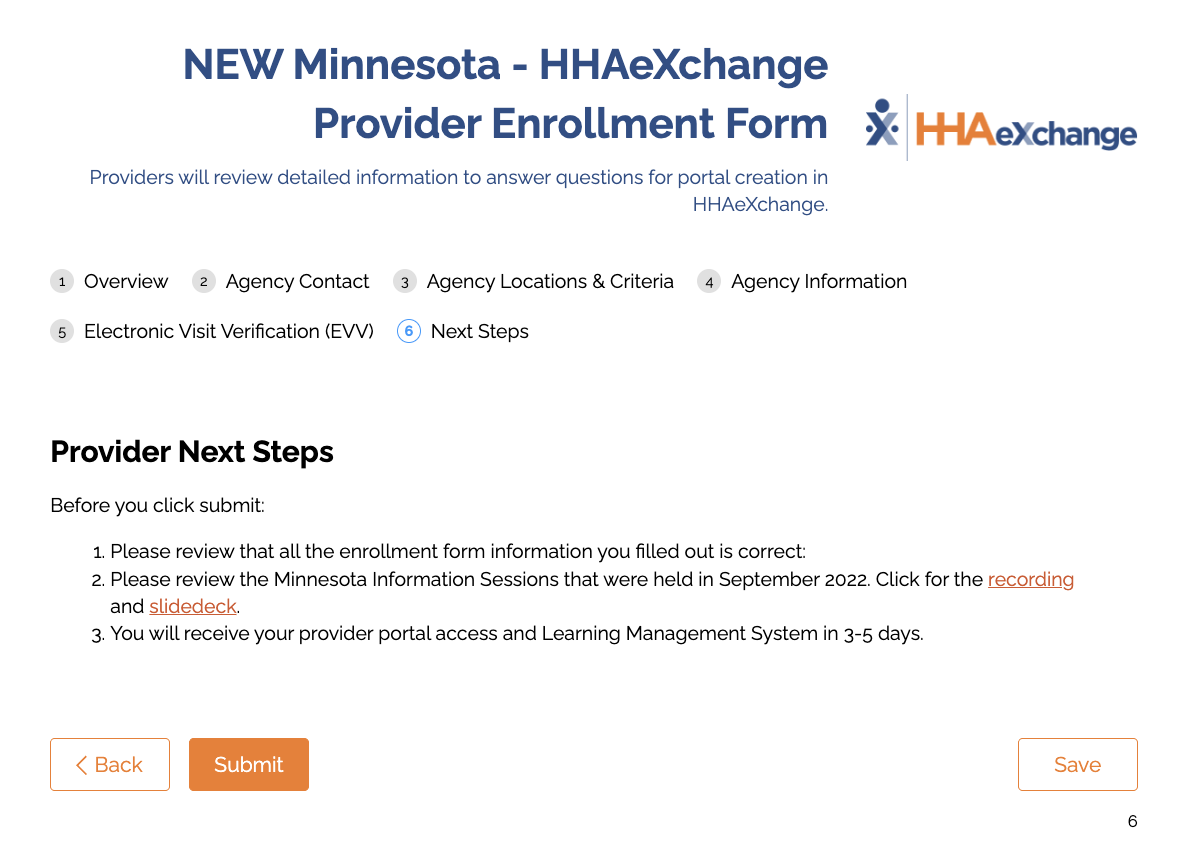
- The last part on this page is "Provider Next Steps Information"
🚧 Please press SAVE before clicking on any links OR right click and open in a new window or open in a new tab. Simply clicking on the links will open the page and will not save your information. When finished, click "Submit."
Attestation Form Completion Guidelines
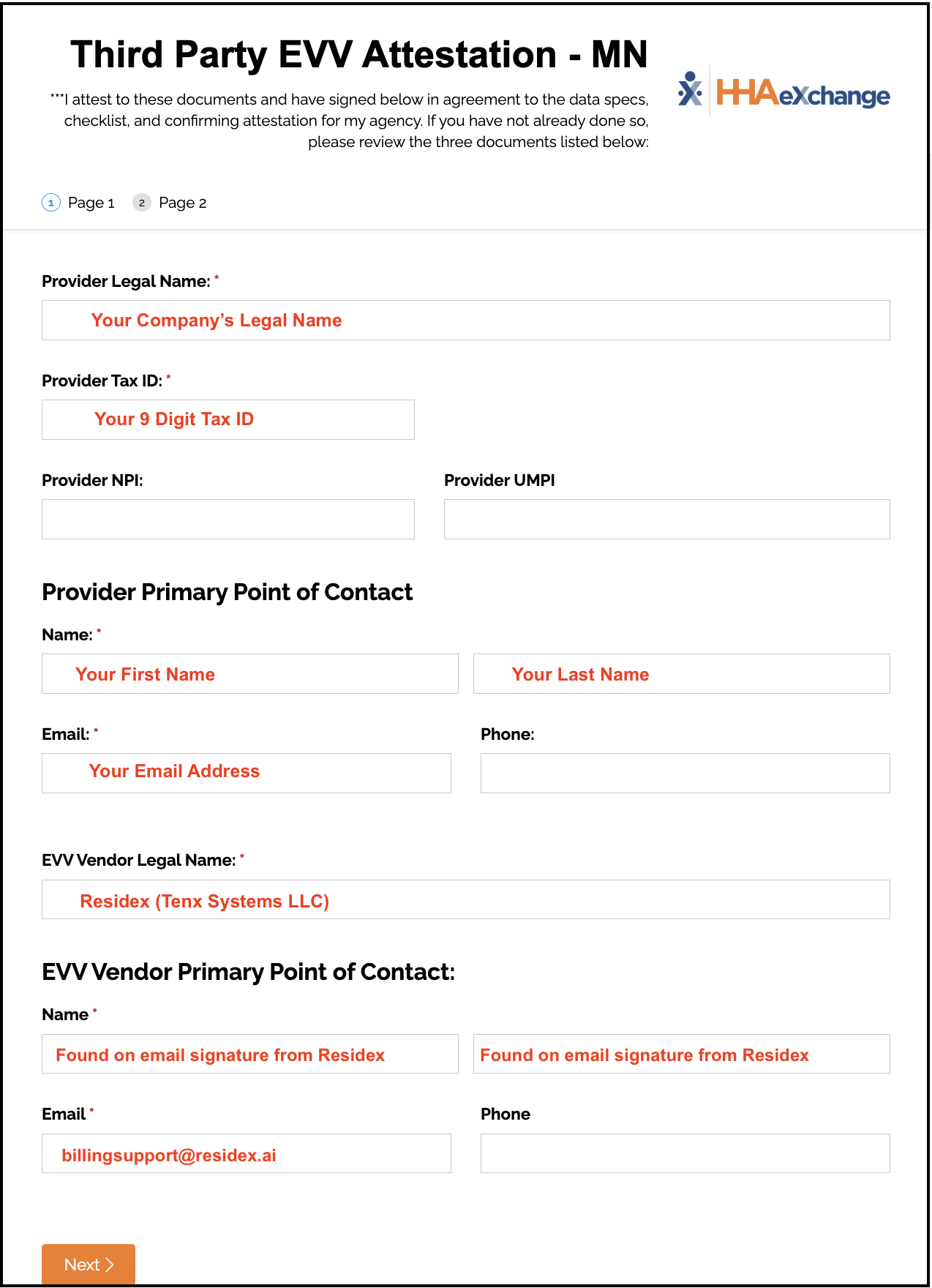
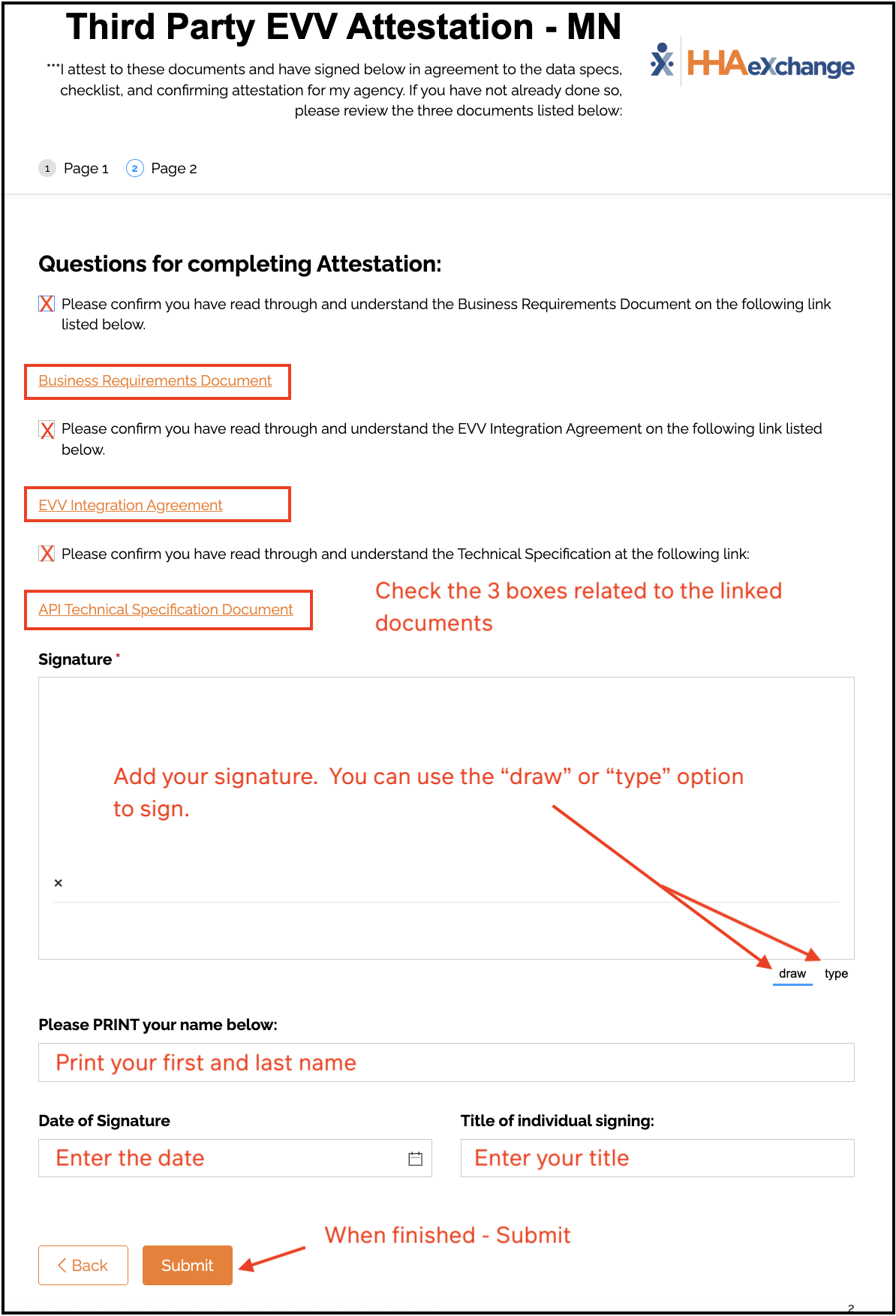
- Important: Even if you have previously submitted the Third Party EVV Attestation, you must complete it again to enable Residex as your EVV system
- Refer to the attestation completion example when completing the form
- Ensure all information is accurate and current
Additional Resources
For detailed information about Minnesota EVV requirements:
What Happens Next
API Credentials Delivery
- Timeline: 2-3 business days after form submission you will receive your API Credentials via email from HHAX
The credentials will look somewhat like the image below
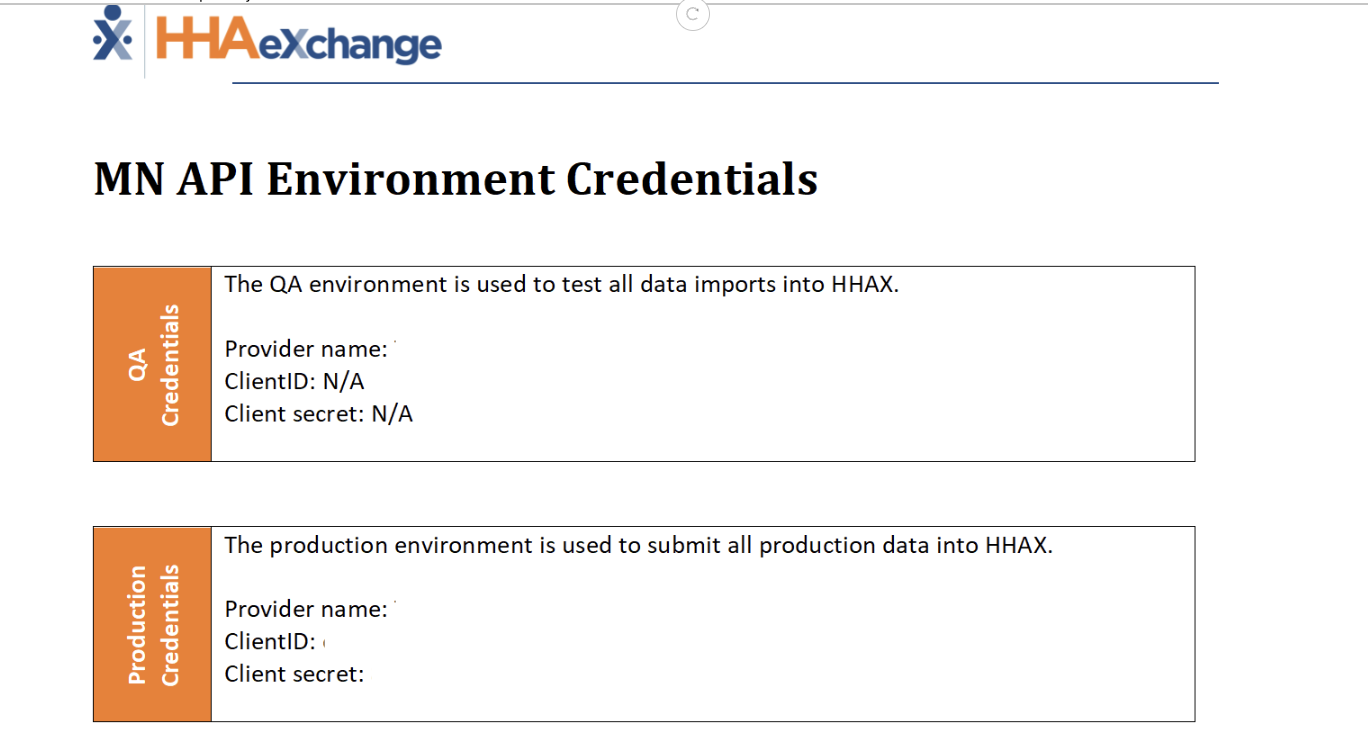
- Save this email for your records
- Send this information to BillingSupport@residex.ai
Additional Setup
- Follow the instructions to set up devices and browsers to track location
- Ensure your campus, clients, services, and staff are entered accurately to prepare for EVV