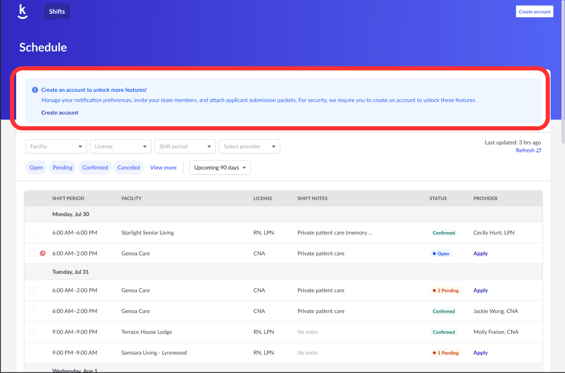
To access the partner portal you are required to create an account. You will also be able to access more features like the people directory, submission packet uploads, and more!
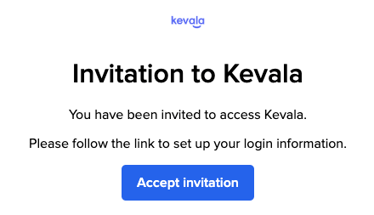
- Check your inbox for an email with the subject "Invitation to Kevala" from . It will contain a link for you to finish setting up your account. Click "Accept invitation".
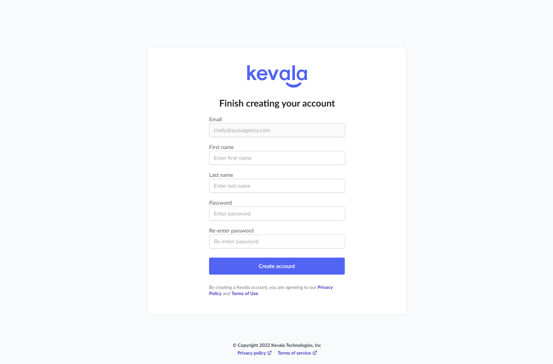
- You'll be taken to a page to finish creating your account. The email will be pre-filled but you will need to enter in your first name, last name, and create a password. Click "Create account" to finalize. Please contact support (support@residex.ai) to change your account email address.
- Once your account is created you will have access to your "People" directory. Here is the help article for a complete overview of the People Directory. You will be able to:
- Add and terminate employees
- View employee profiles
- Upload submission packets onto your employee's profiles, click here for more info.
- Please Note: If you have previously applied providers into shifts, those providers will already be loaded into the people tab.
- If you're the first team member from a new organization, you will first get access to the partner portal via shared shifts. You will be taken to your partner portal, you will see an account creation banner at the top of your screen, click "Create account". Then follow the above steps!