
Resident Note Types
Resident Note Types allow you to:
- organize Resident Notes
- pull notes of specific Type(s) into relevant reports
- limit access to certain note types to only Administrators
- create a structured note template of required elements for staff to follow when entering notes of that type.
Examples of note types for which structured elements might be helpful include Care Conference notes, On-call notes, or perhaps a Therapy or Hospice note.
To Manage Note Types navigate to Admin > Resident Note Types or Staff Note Types
Select a Type to edit:
- Make a Type Active/Inactive
- Setup structured Note Templates
- Limit Visibility of Notes belonging to the Type to Administrators only
Add a new type by selecting the Add Note Type button.
Document Configuration
Documents are files (most commonly PDFs) that are uploaded to a resident or staff member's profile in Residex.
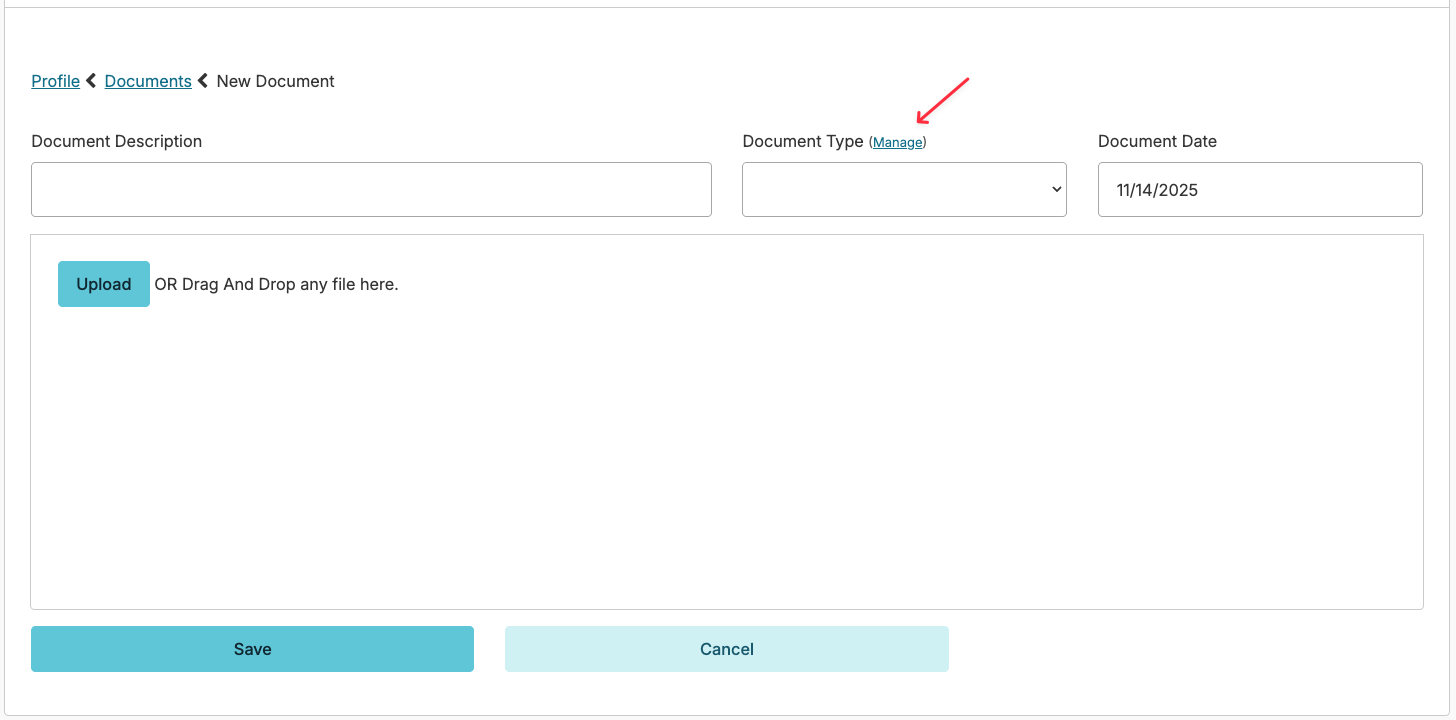
The default configuration of the Documents feature in Residex can be managed by clicking the blue Manage button next to the Document type field when adding a new document, or by navigating to the Admin > Document Types.
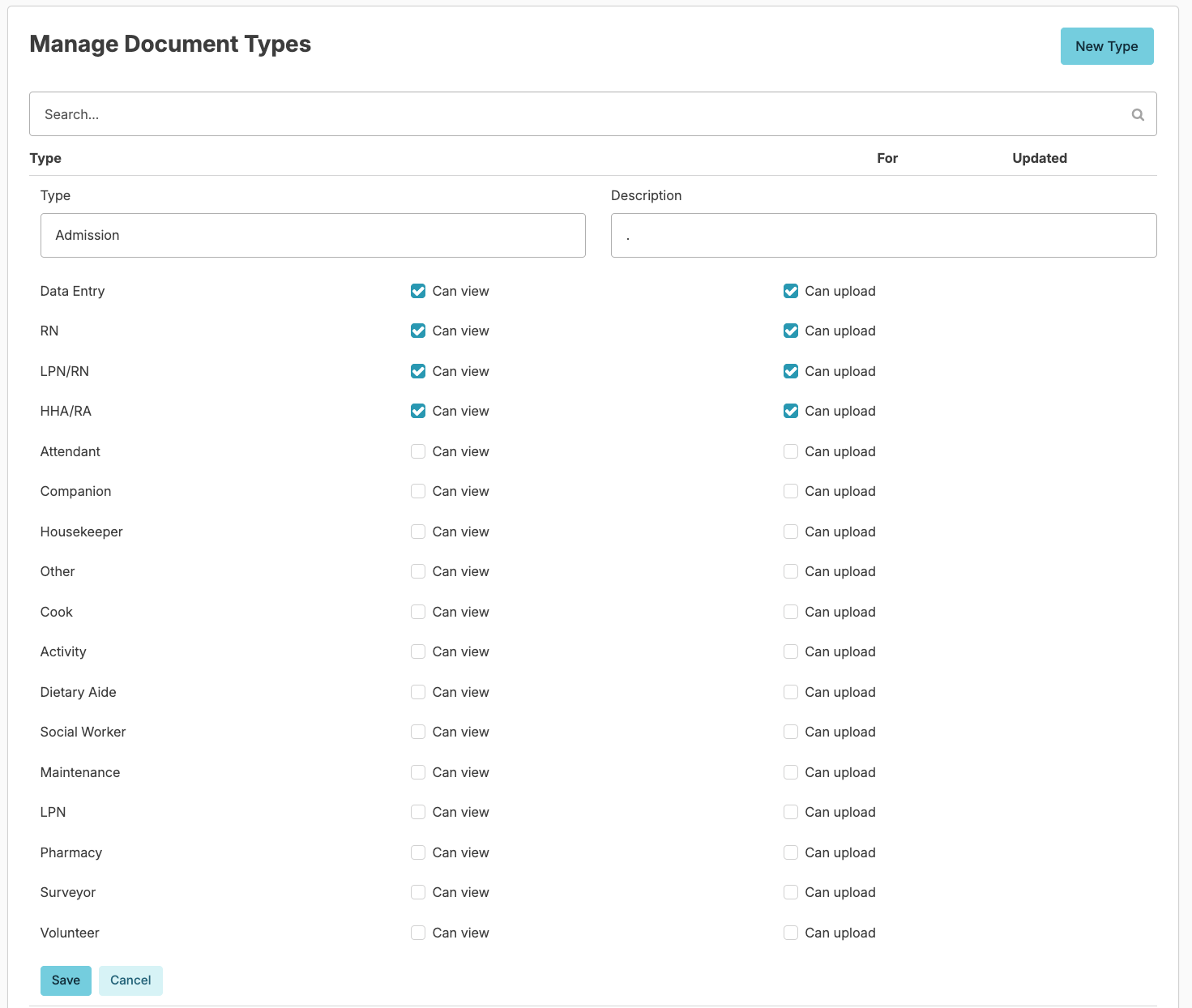
You can add or edit Document Types as well as set controls on what provider types at your organization can either see or upload those documents.
Incident Configuration
Incident reporting in Residex can be customized for each organization to meet your specific needs.
- How long after an incident report is entered can it be edited by staff?
- Restrict edits to incidents - if enabled, only users with special permissions will be able to view or edit an Incident report after it is completed.
- Is a clinical review required? If enabled, a Nurse or Supervisor will be prompted to do a Clinical or Supervisory Review of Incident reports (review the initial incident, then proceed to answer additional questions relating to that incident).
- Staff acknowledgement of an incident after Review will allow a notification to be sent electronically to any staff member identified as being responsible for an incident.
- Body Diagrams for documenting types of injuries or issues can be added to any Incident Report
- Recording resident Vitals can be required, optional, or omitted from any Incident report
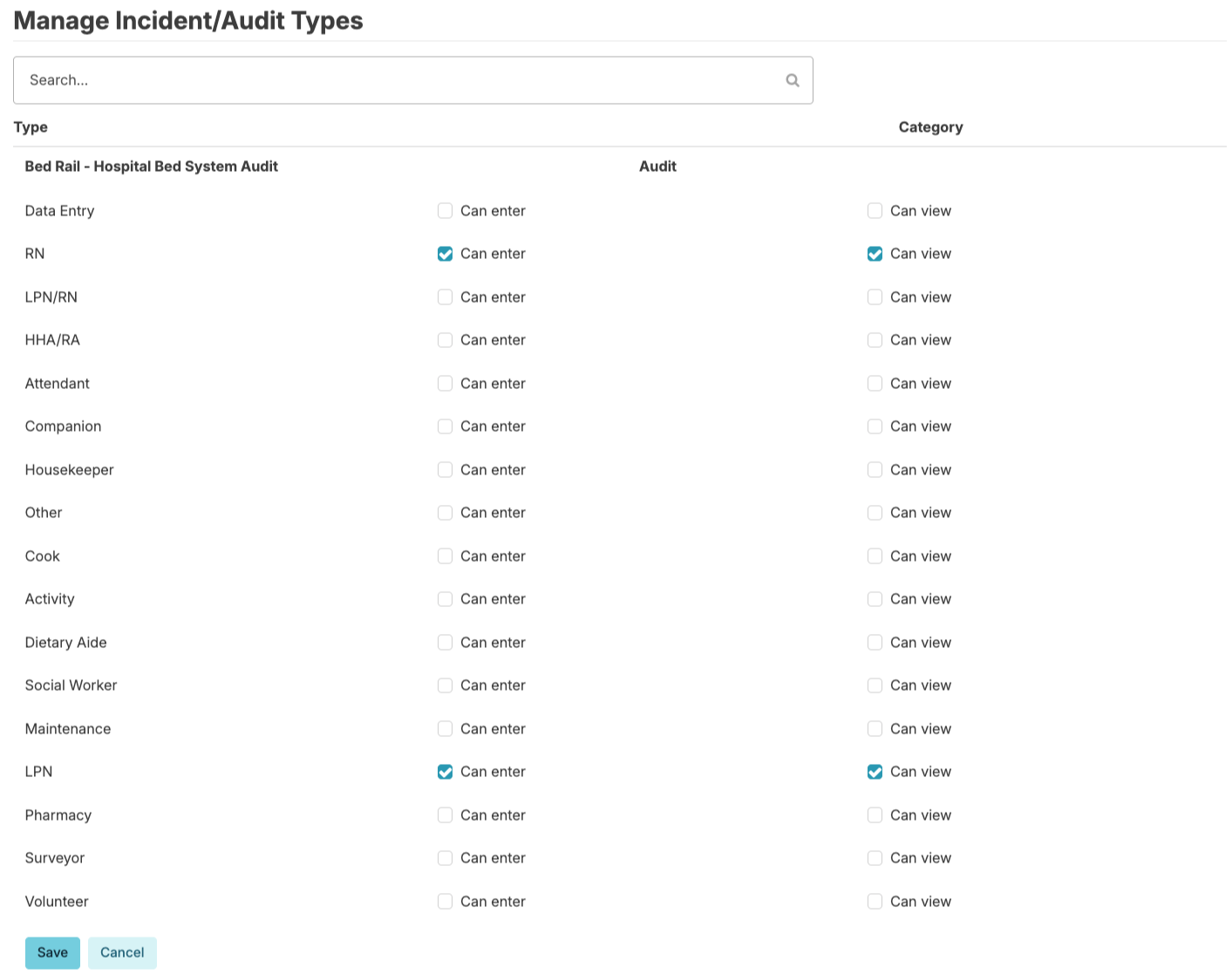
Incident access can also be managed, similar to document management. Users can navigate to Admin > Incident/Audit Types. Here you can control what provider types can enter and/or view incident types. This would allow staff to enter a staff incident, but not view those that others had entered.
Care Coordination Types
You can customize what types of care coordination can be scheduled for your organization.
From Clinical > Care Coordination > New Appointment/Provider Contact > Manage Types
- Press the Add Care Coordination Type button to add new types
- Select any care coordination type to edit its details and custom note format.