Do you ever struggle to know the best approach to fixing a statement? Should you enter an adjustment or should you unpost the invoice and make the corrections? This document will outline a few thoughts to help guide you in making the best decision.
Should I Enter an Adjustment?
Was the invoice or statement sent out? If yes, it is probably best to enter an adjustment. If you unpost to make the corrections, the statement/invoice number will be different and this may cause confusion if the resident or family member calls referencing this number.
Do you report financial data to an accounting department? If yes, it is probably best to enter an adjustment. If you unpost to make the corrections, this will edit the financial numbers in the billing period and may throw off the balance initially reported.
Should I Unpost and Make the Corrections?
Did you notice the issue before the invoice or statement was sent out? If yes, it is probably best to unpost, make the changes, and repost the statement. This will produce a new invoice/statement number but will eliminate the need to enter an adjustment.
Do you want the change reflected in the current billing period? If yes, you must unpost, make the changes, and repost the invoice. An adjustment would be dated for the next billing period and would not be reflected until the following month.
How Can I Enter an Adjustment but Generate a New Statement?
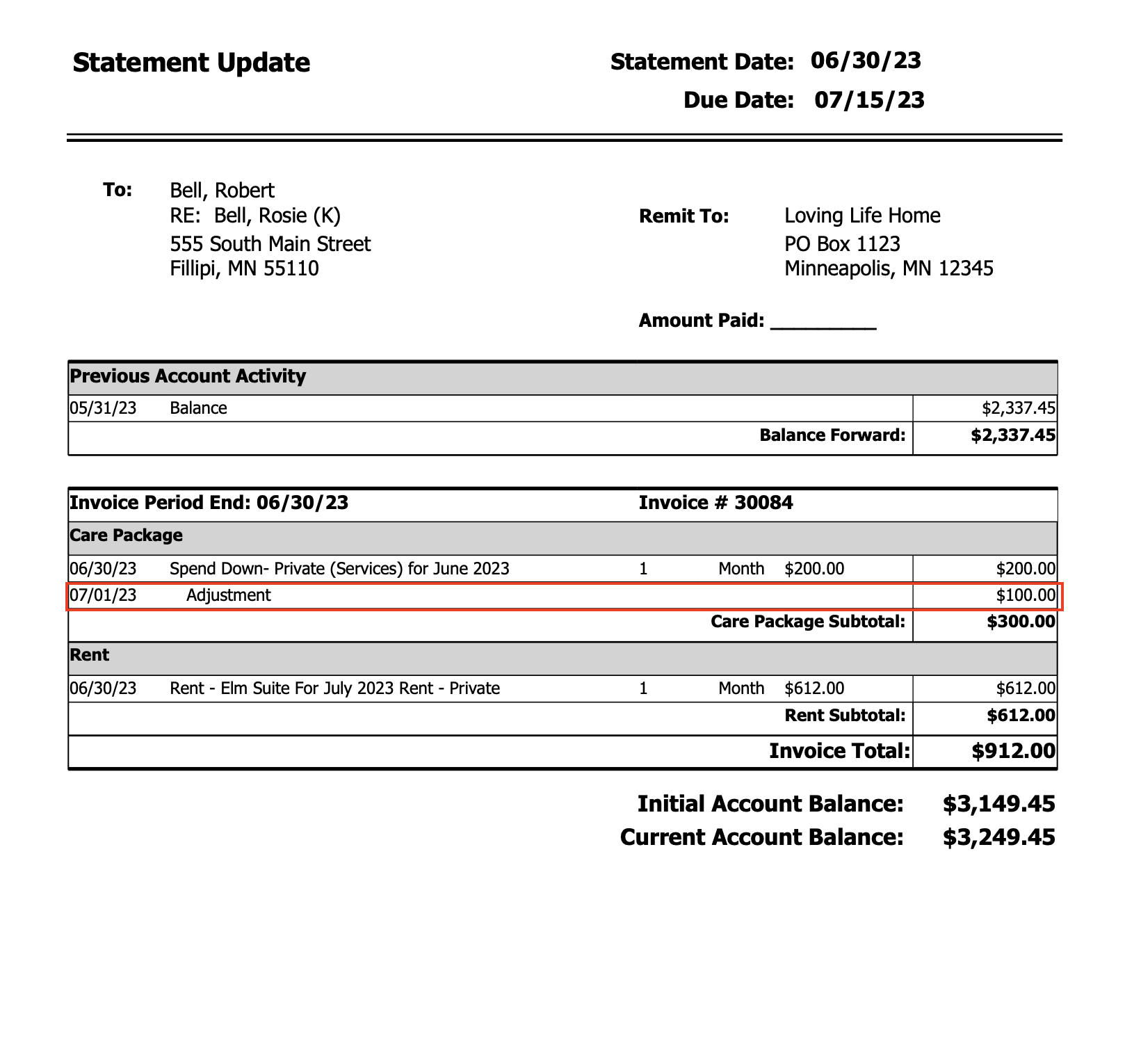
If you enter an adjustment, the change will be reflected in the "previous balance" section of next month's statement. You will likely wish to send out an updated statement before that to show an adjustment was made. Below is an example of the "Statement - Update" report. This can be printed for any previous statement and will reflect adjustments made to any change lines. It will also show the initial account balance and the current account balance.